

Quick Answer
A Shopify SEO checklist helps you improve how Google crawls, understands, indexes, and ranks your store. Start with Search Console, sitemap submission, clean titles, strong product descriptions, optimized collection pages, fast mobile performance, internal links, structured data, and helpful content. For better AI search visibility, add clear answers, FAQs, original examples, and trustworthy product information.
Getting traffic to a Shopify store is becoming more competitive every year. Even though Shopify handles many technical SEO basics automatically, stores still struggle with indexing issues, weak product pages, duplicate content, poor internal linking, and low visibility in AI search results.
If your goal is to improve rankings, attract more organic traffic, and make your products easier to discover, you need a structured SEO process rather than random optimization tasks.
This Shopify SEO checklist covers everything from technical SEO and product page optimization to AI search visibility and monthly audits. Whether you are launching a new store or improving an existing one, these steps will help you build a stronger organic search presence in 2026.
Table of Contents
TL;DR
- Set up Google Search Console and submit your Shopify sitemap.
- Optimize product pages, collection pages, images, titles, and meta descriptions.
- Fix duplicate content, broken links, slow pages, and thin descriptions.
- Use clear internal links to connect blogs, collections, and products.
- Add FAQ-style answers and structured data to improve AI search visibility.
- Create a reusable Shopify SEO checklist template and audit your store monthly.
What Is Shopify SEO?
Shopify SEO is the process of optimizing your Shopify store so search engines can crawl, understand, index, and rank your products, collections, pages, and blog posts.
It includes technical SEO, on-page SEO, product page optimization, collection page SEO, content marketing, internal linking, site speed, structured data, and AI-search-friendly formatting.
Unlike a regular website, Shopify has platform-specific SEO areas you need to understand. Products usually sit under /products/, collections under /collections/, blog posts under /blogs/, and pages under /pages/. Shopify also automatically generates a sitemap, handles SSL, and provides SEO preview fields for products, collections, blogs, and pages.
The goal is simple: help Google and AI search engines understand what your store sells, who it helps, why your pages are useful, and which pages deserve to appear in search results.
Why Shopify SEO Matters in 2026
Paid ads can bring fast traffic, but organic search builds long-term visibility. If your Shopify store ranks for product, category, and informational keywords, you can attract shoppers before they are ready to buy and guide them toward your products.
Good Shopify SEO helps you:
- Get more qualified organic traffic
- Improve product and collection visibility
- Reduce dependence on paid ads
- Build topical authority in your niche
- Improve click-through rates from search results
- Make your content easier for AI tools to understand and summarize
If your Shopify pages are crawled but not indexed, the issue is often not only technical. Google may crawl a page but skip indexing it if the content is thin, duplicated, generic, poorly linked, or not useful enough compared to existing results.
That is why this Shopify SEO checklist focuses on both technical fixes and content quality.
35+ Shopify SEO Checklist Tips for 2026
1. Verify Your Store in Google Search Console
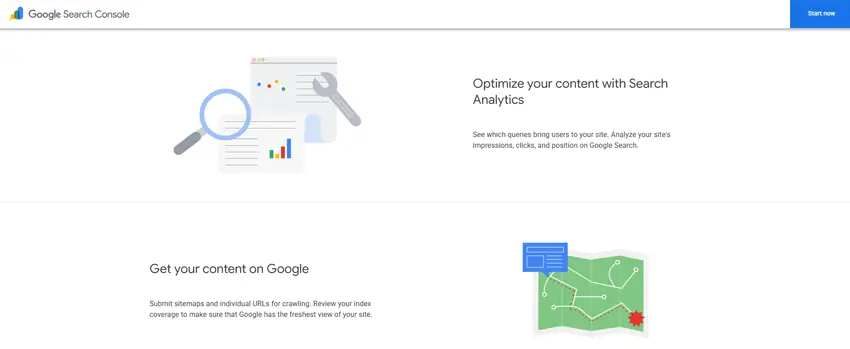
Google Search Console helps you monitor indexing, search queries, page performance, sitemap status, and technical issues.
Where to do it:
Google Search Console and Shopify Admin.
How to do it:
- Add your domain property or URL prefix in Google Search Console.
- Verify ownership using a DNS TXT record or HTML tag.
- If using an HTML tag, paste it inside your Shopify theme’s
<head>area. - Confirm verification in Search Console.
Common mistake:
Only checking Google Analytics and ignoring Search Console. Analytics tells you what visitors do after arriving. Search Console tells you how Google sees your pages before they get traffic.
Expected impact:
You can find indexing problems, query opportunities, crawl issues, and pages that need improvement.
2. Submit Your Shopify Sitemap
Shopify automatically generates a sitemap at:
yourstore.com/sitemap.xml
This sitemap includes links to products, product images, pages, collections, and blog posts.
Where to do it:
Google Search Console → Indexing → Sitemaps
How to do it:
- Open Search Console.
- Select your verified property.
- Go to Sitemaps.
- Enter
sitemap.xml. - Submit it.
Common mistake:
Thinking sitemap submission guarantees indexing. It does not. It only helps Google discover your URLs. Google still decides whether each page is worth indexing.
Expected impact:
Improves discovery of important Shopify pages, especially new products, collections, and blog posts.
3. Connect Google Analytics 4
Google Analytics 4 helps you understand how users behave after landing on your store. You can track sessions, product views, add-to-cart events, checkout activity, and conversions.
Where to do it:
Shopify Admin → Settings → Apps and sales channels → Google & YouTube
How to do it:
- Install or open the Google & YouTube sales channel.
- Connect your Google account.
- Link the correct GA4 property.
- Confirm ecommerce tracking is working.
Common mistake:
Adding tracking manually and via an app simultaneously. This can create duplicate tracking and inaccurate reports.
Expected impact:
Better conversion analysis and smarter SEO decisions.
Read More: How to Set Up Google Analytics 4 on Your Shopify Store: Step-by-Step Process
4. Use a Custom Domain and HTTPS
A custom domain builds trust and gives your store a professional identity. HTTPS protects users and is expected for ecommerce websites.
Where to do it:
Shopify Admin → Settings → Domains
How to do it:
- Connect your branded domain.
- Set it as the primary domain.
- Confirm SSL is active.
- Redirect alternate domains to the primary version.
Common mistake: Letting multiple domain versions remain accessible without proper redirects.
Expected impact: Cleaner indexing, stronger brand trust, and fewer duplicate-domain issues.
Read More: How to Change Domain Name on Shopify: The Ultimate Guide
Shopify Technical SEO Checklist
5. Check Crawlability and Indexability
Before improving rankings, make sure Google can access your important pages.
What to check:
- Important product pages are not blocked
- Collection pages are accessible
- Blog posts are indexable
- Canonical tags point to the correct page
- No important pages have a
noindextag - Pages return a valid 200 status code
Where to check:
Google Search Console → URL Inspection
Common mistake:
Requesting indexing again and again without improving the page. If Google already crawled the URL and skipped indexing, improve quality, internal links, and uniqueness first.
Expected impact:
Helps you separate technical access issues from content quality issues.
6. Review Your Shopify Robots.txt File Carefully
Shopify automatically creates a robots.txt file for your store. This file tells search engines which areas of your site they can or cannot crawl.
You can check it by visiting:
yourstore.com/robots.txt
For most Shopify stores, the default robots.txt setup is enough. You do not need to edit it unless Search Console shows crawl waste from filters, search pages, app-generated URLs, or duplicate parameter URLs.
What to check:
Make sure important pages are not blocked, including:
- Product pages
- Collection pages
- Blog posts
- Landing pages
- Sitemap.xml
Also, review whether Google is crawling too many low-value URLs, such as:
- Internal search result pages
- Filter parameter URLs
- Duplicate sorting URLs
- App-generated tracking URLs
- Cart or checkout URLs
When should you edit robots.txt in Shopify?
Only edit robots.txt when you clearly understand which URLs should be blocked. A wrong rule can accidentally stop Google from crawling important pages.
You may consider editing it when:
- Your store has many filter combinations
- Search Console shows many low-value crawled URLs
- Apps create messy crawlable URLs
- You manage a large catalog with crawl budget issues
Common mistake:
Blocking collections or products by accident. Robots.txt should be used carefully. It can help control crawling, but it does not fix thin or low-quality content.
Expected impact:
A clean robots.txt setup can help Google focus on valuable pages, but content quality, canonical tags, and internal links are usually more important for indexing.
7. Fix Duplicate Product URL Issues
Some Shopify themes may link to products through collection-based paths, such as:
/collections/summer-shirts/products/blue-linen-shirt
The cleaner version is usually:
/products/blue-linen-shirt
When multiple internal URLs point to the same product, Google may see unnecessary duplication.
Where to check:
Product cards, collection grids, and theme snippets.
How to handle it:
- Check whether product links use clean product URLs.
- Make sure canonical tags point to the preferred product URL.
- Avoid creating multiple internal links to duplicate versions of the same product.
Common mistake:
Relying only on canonical tags while internal links still point to duplicate versions.
Expected impact:
Cleaner crawl paths and stronger internal signals for your main product pages.
8. Improve Core Web Vitals
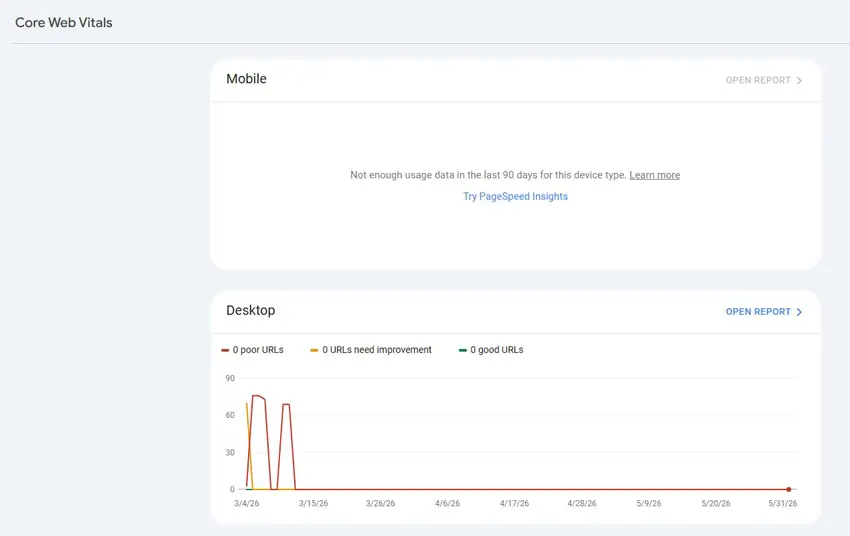
Speed and usability matter for both search and conversions. Shopify stores often become slow because of heavy themes, large images, too many apps, sliders, popups, and unused JavaScript.
What to check:
- Largest Contentful Paint (LCP)
- Interaction to Next Paint (INP)
- Cumulative Layout Shift (CLS)
- Mobile performance
- App script load
- Large images
Where to check:
PageSpeed Insights, Shopify speed reports, Chrome DevTools.
How to improve it:
- Compress images before uploading.
- Remove unused apps.
- Avoid heavy homepage sliders.
- Use a lightweight theme.
- Limit unnecessary tracking scripts.
- Use lazy loading where appropriate.
Common mistake:
Installing multiple optimization apps without removing the original causes of slowness.
Expected impact:
Better user experience, stronger conversion potential, and improved SEO competitiveness.
9. Fix Broken Links and Redirect Deleted Products
Deleted products, changed handles, and old campaign URLs can create 404 errors.
Where to do it:
Shopify Admin → Online Store → Navigation → URL Redirects
How to fix it:
- Export 404 URLs from Search Console or a crawler.
- Redirect deleted products to the most relevant alternative.
- Redirect old collection URLs to updated collections.
- Avoid redirecting everything to the homepage.
Common mistake:
Sending all broken URLs to the homepage. This can create soft 404 problems and confuse users.
Expected impact:
Preserves link equity and improves user experience.
Shopify On-Page SEO Checklist
10. Write Clear SEO Titles
Your SEO title tells Google and users what the page is about. Every important page should have a unique title.
Where to do it:
Website SEO preview section for products, collections, blog posts, and pages.
Good example:
Bad:
Blue Shirt
Better:
Men’s Blue Linen Shirt for Summer | Brand Name
Best practices:
- Keep it clear and readable.
- Include the main keyword naturally.
- Add a benefit or product type.
- Avoid repeating the same title across pages.
Common mistake:
Stuffing too many keywords into one title.
11. Write Useful Meta Descriptions
Meta descriptions do not directly guarantee rankings, but they can improve click-through rate when Google uses them in search results.
Good example:
Shop our breathable men’s blue linen shirt made for warm weather, casual outfits, and everyday comfort. Available in multiple sizes.
Best practices:
- Keep it under about 155–160 characters.
- Mention the product, benefit, and intent.
- Write for humans, not just search engines.
Common mistake:
Leaving Shopify to auto-generate descriptions from random page text.
12. Use One Clear H1 Per Page
The H1 should describe the main topic of the page.
For product pages, the H1 is usually the product name. For collection pages, it should describe the category. For blog posts, it should match the article topic.
Good examples:
Men’s Leather BootsOrganic Skincare ProductsShopify SEO Checklist for 2026
Common mistake:
Using headings only for design and not for structure.
13. Optimize Image File Names and Alt Text
Images help users understand products. They also help Google Images and AI systems understand visual content.
Before uploading, rename files like this:
Bad:
IMG_8732.jpg
Better:
mens-black-leather-boots-side-view.jpg
Alt text example:
Side view of men’s black leather boots with rubber sole
Common mistake:
Using keyword-stuffed alt text like:boots leather boots best boots buy boots online
Expected impact:
Better accessibility, clearer product context, and potential image search traffic.
14. Add Helpful Internal Links
Internal links help Google discover pages and understand relationships between topics.
Useful internal link examples:
- Blog post → relevant collection
- Collection → buying guide
- Product page → size guide
- Blog post → related tutorial
- Homepage → important category pages
Common mistake:
Using generic anchor text like “click here.”
Better anchor text:
Shopify SEO audit checklistmen’s waterproof leather bootshow to choose the right size
Shopify Product Page SEO Checklist
15. Write Unique Product Descriptions
Product descriptions are one of the most important Shopify SEO elements. If you copy manufacturer descriptions, your product pages may look duplicated and low-value.
Bad example:
High-quality leather boots. Comfortable and stylish. Available in black.
Better example:
These men’s black leather boots are designed for everyday wear, weekend travel, and smart casual outfits. The rubber sole adds grip on wet streets, while the padded ankle support helps reduce discomfort during long walks. Pair them with denim, chinos, or a casual jacket for a polished look.
What to include:
- Product use cases
- Materials
- Fit and sizing
- Benefits
- Care instructions
- Shipping or return reassurance
- FAQs if needed
Common mistake: Writing the same description style for every product with only the product name changed.
16. Add Product Specifications
Specifications help shoppers make decisions and help search engines understand the product.
| Product Detail | Example |
|---|---|
| Material | Full-grain leather |
| Fit | True to size |
| Color | Black |
| Sole | Rubber |
| Best For | Casual wear, travel, office casual |
| Care | Wipe with dry cloth |
Common mistake: Hiding important product details inside images instead of readable text.
17. Use Product Schema
Structured data helps search engines understand product details such as price, availability, reviews, and SKU.
Many Shopify themes and apps include product schema automatically, but you should still test important pages.
What to check:
- Product name
- Image
- Price
- Currency
- Availability
- SKU
- Review data, if valid
- Brand
Common mistake: Using multiple SEO apps that output conflicting schema.
Expected impact: Better eligibility for rich results, though rich results are not guaranteed.
18. Add Product FAQs Where Helpful
Product FAQs can reduce buyer hesitation and add useful long-tail content.
Example FAQs:
- Is this product true to size?
- What material is it made from?
- How should I care for it?
- Is it suitable for daily use?
- What is the return policy?
Common mistake: Adding generic FAQs that do not answer real buyer concerns.
Shopify Collection Page SEO Checklist
19. Add Collection Descriptions
Collection pages often rank for broader commercial keywords. But many Shopify collection pages are only product grids with little helpful text.
Where to do it:
Shopify Admin → Products → Collections → Description
What to include:
- What the collection includes
- Who it is for
- Key benefits
- Popular product types
- Buying tips
- Internal links to related guides
Good structure:
- Short intro above the product grid
- Longer buying guidance below the grid, if your theme supports it
Common mistake:
Adding a huge block of text above products and pushing the product grid too far down.
20. Manage Filter and Sort URLs
Filters help users shop, but they can also create many parameter URLs.
Examples:
?sort_by=price-ascending?filter.v.option.size=Large
These URLs are usually not meant to become indexed landing pages.
What to do:
- Keep main collection pages indexable.
- Avoid indexing every filter combination.
- Review crawl reports for parameter bloat.
- Use canonicals and robots.txt carefully when needed.
Common mistake: Trying to rank every filtered URL. Most filter pages create duplicate or thin content.
21. Link Collections to Supporting Blog Content
A collection page can rank better when the site has helpful supporting content around the topic.
Example:
Collection: Running Shoes
Supporting blog posts:
- How to Choose Running Shoes for Beginners
- Trail Running Shoes vs Road Running Shoes
- Best Running Shoes for Rainy Weather
Common mistake: Publishing blog posts without linking them back to commercial pages.
Shopify Content SEO Checklist
22. Create Helpful Blog Content Around Buyer Questions
Blog content helps you rank for informational keywords and build trust before customers are ready to buy.
Good Shopify blog topics:
- Buying guides
- Product comparisons
- Care guides
- Size guides
- Use-case articles
- Problem-solving tutorials
- Gift guides
- Trend guides
Common mistake: Using the blog only for company news.
23. Build Topic Clusters
A topic cluster connects one main page with several supporting articles.
Example cluster:
Main page: Shopify SEO Checklist
Supporting articles:
- Shopify Product Page SEO
- Shopify Collection Page SEO
- Shopify Technical SEO
- Shopify SEO Apps
- Shopify SEO Audit Guide
Expected impact:
Google can better understand your topical authority.
24. Add Author and Review Signals
For SEO content, trust matters. Add a clear author name, short bio, last updated date, and review note where appropriate.
Example:
Written by: [Author Name]Reviewed for accuracy: June 2026Focus: Shopify SEO, ecommerce indexing, content optimization
Common mistake:
Publishing important SEO articles under “Admin.”
Shopify AI Search Optimization Checklist
25. Add Direct Answer Blocks
AI search tools prefer content that is clear, direct, and easy to extract.
Example:
What is the best Shopify SEO checklist?
The best Shopify SEO checklist covers setup, technical SEO, product pages, collection pages, content, internal links, structured data, site speed, and ongoing audits.
Use this style throughout the article where helpful.
26. Use FAQ Sections Strategically
FAQs help both users and AI tools find concise answers.
Best FAQ topics include:
- Shopify SEO basics
- Indexing issues
- Product page optimization
- SEO apps
- Sitemap and robots.txt
- SEO timeline
- AI search optimization
27. Include Original Examples and Templates
Google and AI systems do not need another generic SEO tips list. Add assets that make the article more useful.
Examples:
- Printable SEO checklist
- Product description example
- Collection page template
- 30-day SEO plan
- SEO audit table
- Common mistakes table
28. Optimize Your Shopify Homepage SEO
Your homepage is usually the strongest page on your store, so it should clearly explain what you sell and who you help.
Where to do it:
Shopify Admin → Online Store → Preferences
What to optimize:
- Homepage title
- Meta description
- Main H1
- Hero section copy
- Internal links to key collections
- Brand value proposition
Common mistake: Using vague homepage text like “Welcome to our store” instead of explaining your products clearly.
Expected impact: Helps Google understand your store’s main topic and improves internal authority flow to important collections.
Read More: Best Shopify Theme for SEO in 2026: Expert Guide & Theme Comparison
29. Add Breadcrumbs Where Possible
Breadcrumbs show users and search engines where a page sits inside your store structure.
Example:
Home → Men’s Shoes → Leather Boots
Why it matters:
Breadcrumbs improve navigation, help users move between categories, and give search engines clearer site structure signals.
Where to implement it: Theme settings or theme code, depending on your Shopify theme.
Common mistake: Using a theme with no clear navigation path from products back to collections.
Expected impact: Better crawl understanding, improved user experience, and stronger category relevance.
30. Improve Navigation and Menu Structure
Your main menu should help users and search engines find your most important pages quickly.
What to include:
- Main product categories
- Best-selling collections
- Helpful buying guides
- Contact or support page
- About page
Good example:
Shop → Men’s Shoes → Leather Boots → Waterproof Boots
Common mistake: Adding too many menu items or hiding important collections deep inside the site.
Expected impact: Improves crawl depth, user experience, and internal linking strength.
31. Optimize Shopify Blog Categories and Tags
Blog categories and tags can help organize content, but they can also create thin archive pages if used carelessly.
How to use them:
- Use only relevant blog categories.
- Avoid creating too many tags.
- Do not use tags as keyword-stuffed SEO pages.
- Link related blog posts together manually.
Common mistake: Creating dozens of tags with only one article each. These pages may look thin or low-value to Google.
Expected impact: Cleaner content organization and reduced risk of low-value indexed pages.
32. Add Customer Reviews to Product Pages
Customer reviews add fresh, user-generated content and help shoppers make decisions.
Why it matters:
Reviews can answer real buyer concerns about quality, sizing, delivery, comfort, use cases, and product experience.
Where to add them: Product pages using Shopify-compatible review apps or native review integrations if available.
Common mistake: Displaying reviews visually but not making review content accessible in crawlable HTML.
Expected impact: Improves trust, conversion rate, long-tail keyword coverage, and potential rich result eligibility when structured data is valid.
33. Use Canonical Tags Correctly
Canonical tags tell search engines which version of a page should be treated as the main version.
Why it matters:
Shopify stores can create similar URLs through collections, filters, variants, tags, and sorting options. Canonicals help reduce duplicate content confusion.
What to check:
- Product pages canonicalize to the main product URL.
- Collection pages canonicalize to the clean collection URL.
- Filtered or sorted URLs do not compete with main pages.
- Blog posts have self-referencing canonicals.
Common mistake: Changing canonical tags without understanding the page structure.
Expected impact: Cleaner indexing signals and reduced duplicate-content risk.
34. Monitor Indexed vs Non-Indexed Pages Monthly
A Shopify SEO audit is not complete without checking which pages Google actually indexed.
Where to check:
Google Search Console → Indexing → Pages
What to review:
- Indexed pages
- Crawled but not indexed
- Discovered but not indexed
- Duplicate without user-selected canonical
- Not found 404
- Redirect errors
Common mistake: Only checking rankings and ignoring index coverage reports.
Expected impact: Helps you find content quality, crawl, canonical, and duplication issues before they affect traffic.
35. Update Old Products, Collections, and Blog Posts
Old Shopify pages can lose rankings when product details, search intent, or competitor content changes.
What to update:
- Product descriptions
- Collection descriptions
- Meta titles
- Meta descriptions
- FAQs
- Internal links
- Images
- Outdated examples
- Broken links
Common mistake: Publishing content once and never refreshing it.
Expected impact: Keeps your store relevant, improves freshness signals, and gives Google a reason to recrawl important pages.
36. Build Backlinks to Important Shopify Pages
Backlinks are still important for competitive ecommerce SEO. They help Google understand that your store is trusted outside your own website.
Best pages to build links to:
- Helpful buying guides
- Original research or data pages
- Product comparison guides
- Collection pages with strong buying intent
- Useful templates or checklists
Safe backlink methods:
- Guest posts
- Product reviews
- Digital PR
- Niche directories
- Partner mentions
- Helpful resource pages
Common mistake: Buying low-quality spam links. This can harm trust instead of improving rankings.
Expected impact: Stronger authority, better ranking potential, and improved discovery of important Shopify pages.
Read More: Shopify SEO: The Complete 2026 Guide To Drive More Store Traffic
Shopify SEO Checklist Template
Use this table as a monthly Shopify SEO audit template.
| Task | Priority | Status | Notes |
|---|---|---|---|
| Verify Google Search Console | High | Not started / Done | Check all domain versions |
| Submit sitemap.xml | High | Not started / Done | Submit in GSC |
| Check crawled but not indexed URLs | High | Not started / Done | Improve thin pages |
| Review robots.txt | Medium | Not started / Done | Do not block key pages |
| Fix broken links | High | Not started / Done | Add 301 redirects |
| Optimize product titles | High | Not started / Done | Use clear product names |
| Rewrite duplicate product descriptions | High | Not started / Done | Add original value |
| Add collection descriptions | High | Not started / Done | Include buying guidance |
| Compress large images | Medium | Not started / Done | Improve speed |
| Add image alt text | Medium | Not started / Done | Keep it descriptive |
| Check product schema | Medium | Not started / Done | Test key pages |
| Add internal links | High | Not started / Done | Link blogs to collections |
| Update old blog posts | Medium | Not started / Done | Refresh outdated content |
| Add FAQs | Medium | Not started / Done | Answer real buyer questions |
| Review Core Web Vitals | High | Not started / Done | Focus on mobile |
This section helps users looking for a Shopify SEO checklist PDF or a Shopify SEO checklist template. You can copy the table into Google Sheets, Notion, or a document and export it as a PDF.
Read More: How to Add Shopify Schema Markup for Better SEO: Step-by-Step Guide
Common Shopify SEO Mistakes
| Mistake | Why It Hurts | Better Approach |
|---|---|---|
| Copying supplier descriptions | Creates duplicate content | Write original product copy |
| Leaving collection pages empty | Makes category pages thin | Add useful buying guidance |
| Installing too many SEO apps | Can slow the site or duplicate schema | Use only necessary apps |
| Ignoring Search Console | Misses indexing issues | Review GSC monthly |
| Blocking important pages in robots.txt | Stops crawling | Edit only when necessary |
| Using vague titles | Reduces relevance | Write clear keyword-focused titles |
| Ignoring internal links | Weakens discovery | Link blogs, products, and collections |
| Deleting products without redirects | Creates 404 errors | Add relevant 301 redirects |
Read More: How to Optimize Shopify Store SEO for Rankings
Recommended Shopify SEO Tools
| Tool | Best For | Free or Paid |
|---|---|---|
| Google Search Console | Indexing, queries, sitemap, errors | Free |
| Google Analytics 4/Analyzely | User behavior and conversions | Free |
| PageSpeed Insights | Core Web Vitals and speed | Free |
| Screaming Frog | Technical crawl audits | Free/Paid |
| Ahrefs | Keywords, backlinks, competitors | Paid |
| Semrush | SEO research and tracking | Paid |
| Shopify Search & Discovery | Store search and filtering | Free |
| Rich Results Test | Structured data testing | Free |
You do not need every tool at once. Start with Search Console, GA4, PageSpeed Insights, and a basic crawl tool.
30-Day Shopify SEO Action Plan
Days 1–7: Setup and Indexing
- Verify Google Search Console.
- Submit
sitemap.xml. - Connect GA4.
- Inspect important product, collection, and blog URLs.
- Export crawled but not indexed URLs.
Days 8–15: Technical Cleanup
- Fix broken links.
- Review duplicate product URLs.
- Check canonical tags.
- Review robots.txt carefully.
- Remove unused apps and scripts.
- Test mobile speed.
Days 16–23: Product and Collection Optimization
- Rewrite thin product descriptions.
- Add product specifications.
- Improve product titles and meta descriptions.
- Add collection descriptions.
- Add internal links from blogs to collections.
- Add descriptive image alt text.
Days 24–30: Content and AI Search Improvements
- Add FAQ sections to key pages.
- Update old blog posts.
- Create supporting content clusters.
- Add direct answer blocks.
- Review schema output.
- Re-submit improved URLs for indexing.
Frequently Asked Questions
What is a Shopify SEO checklist?
A Shopify SEO checklist is a step-by-step list of tasks that helps you optimize your store for Google and AI search. It usually covers setup, sitemap submission, product pages, collection pages, technical SEO, content, internal links, speed, structured data, and ongoing audits.
How do I improve SEO on Shopify?
Start by verifying Search Console, submitting your sitemap, writing unique product descriptions, optimizing collection pages, improving titles and meta descriptions, adding internal links, compressing images, fixing broken links, and creating helpful blog content around buyer questions.
Why is my Shopify page crawled but not indexed?
A Shopify page can be crawled but not indexed if Google finds it too thin, duplicated, generic, poorly linked, or not useful enough compared to similar pages. Improve the content, add internal links, check canonicals, and make the page more unique before requesting indexing again.
Does Shopify automatically create a sitemap?
Yes. Shopify automatically creates a sitemap.xml file for your store. It includes products, product images, pages, collections, and blog posts. You should submit this sitemap in Google Search Console to help Google discover your pages.
Should I edit robots.txt in Shopify?
Most Shopify stores do not need to edit robots.txt. Review it only if Search Console shows crawl waste from filters, internal search pages, duplicate parameter URLs, or app-generated URLs. Do not block important products, collections, blogs, or landing pages.
Are Shopify SEO apps necessary?
Shopify SEO apps can help with structured data, redirects, image optimization, and metadata, but they are not a replacement for useful content and technical quality. Avoid installing multiple apps that do the same thing because they may slow your store or create duplicate schema.
How long does Shopify SEO take?
Technical fixes can sometimes be noticed after Google recrawls the page, but stable SEO improvements usually take weeks or months. The timeline depends on competition, site quality, crawl frequency, content value, and domain authority.
What is the best Shopify SEO checklist template?
The best Shopify SEO checklist template includes setup, indexing, robots.txt review, titles, descriptions, product content, collection content, images, schema, internal links, speed, broken links, FAQs, and monthly audit tasks. It should be easy to copy into Google Sheets or export as a PDF.
How can Shopify stores appear in AI search results?
To improve AI search visibility, write clear direct answers, use FAQ sections, add structured data, build helpful content clusters, include original examples, and make product information easy to extract. AI tools are more likely to reference content that is clear, trustworthy, and specific.
Conclusion
Shopify SEO is not about installing one app or adding keywords everywhere. It is about making your store easier to crawl, easier to understand, and more useful than competing pages.
Start with the basics: verify Search Console, submit your sitemap, optimize titles, improve product descriptions, and add collection content. Then fix technical issues like duplicate URLs, broken links, slow pages, and weak internal linking.
For long-term growth, build helpful content around buyer questions, add original examples, and structure your pages so both Google and AI search engines can extract clear answers.
Use this Shopify SEO checklist every month. The stores that win organic traffic are usually not the ones that do everything once. They are the ones that keep improving the right pages consistently.