

Quick Answer:
Optimizing Shopify SEO requires focusing on site speed, mobile-first design, structured data, and strategic keyword targeting. Combine technical SEO, on-page optimization, and quality content to improve rankings. Use long-tail keywords, schema markup, and internal linking to boost visibility, while consistent monitoring ensures sustainable organic traffic growth and higher conversions.
If you’re running a Shopify store, you already know that traffic is everything. But here’s the reality: 93% of online experiences begin with a search engine, yet most Shopify merchants never invest in proper strategies to optimize Shopify store SEO for rankings.
They watch their competitors rank on page one while their products stay buried deeper in the search results, wondering why organic traffic isn’t flowing in.
The truth? Learning how to optimize a Shopify store’s SEO for rankings isn’t complicated; it just requires a strategic approach.
In fact, 43% of all eCommerce traffic comes from Google’s organic search, and businesses that master Shopify SEO see conversion rates that blow paid advertising out of the water.
Studies show that 23.6% of all eCommerce orders are directly linked to organic traffic, making SEO an absolute necessity rather than a nice-to-have.
This comprehensive guide walks you through proven strategies to optimize Shopify store’s SEO for rankings, increase your visibility, and build sustainable organic growth.
Whether you’re just starting out or looking to refine your existing SEO strategy, you’ll discover actionable tactics that move the needle and deliver real results.
Key Takeaways
Before diving into the details, here are four game-changing insights that will transform your approach to Shopify SEO:
- Mobile speed kills rankings faster than bad content
- Schema markup increases your click-through rates by 82%
- Long-tail keywords convert 2.5x better than broad terms
- Built-in theme features eliminate costly app subscriptions
How to Optimize Shopify Store SEO for Rankings: Understanding Fundamentals
Before you optimize, you need to understand what makes Shopify SEO different from traditional website SEO. Shopify stores have unique structural advantages and challenges.
On one hand, Shopify handles the technical backend beautifully; your hosting is fast, servers are reliable, and security is built in. On the other hand, you’re constrained by the platform’s architecture, which means focusing on what you can actually control becomes critical.
The foundation of Shopify SEO rests on three pillars: technical SEO, on-page optimization, and authority building. Miss any one of these, and your rankings will plateau no matter how much effort you invest.
Think of technical SEO as the plumbing behind your store. If water isn’t flowing (in this case, if search engines can’t crawl your site efficiently), nothing else matters.
On-page optimization is about making sure each product and collection page speaks directly to what your customers are searching for. Authority building, through quality content and backlinks, signals to Google that your store is trustworthy and valuable.
Technical SEO: The Foundation of Ranking Success
Fix Site Speed Before Everything Else
Here’s something shocking: 73% of Shopify stores load slower than Google’s recommended threshold. That’s not just bad for user experience—it’s a ranking killer.
Google has made page speed a confirmed ranking factor, and the stakes are even higher for eCommerce. When a page takes an extra second to load, conversions drop by 7%. That means a slow site is losing money before you even get to the SEO problem.
Your speed optimization checklist should include:
- Largest Contentful Paint (LCP): Get this under 2.5 seconds (measures when your main content loads)
- First Input Delay (FID): Keep below 100 milliseconds (measures how responsive your site feels)
- Cumulative Layout Shift (CLS): Stay below 0.1 (prevents jarring visual shifts as content loads)
These aren’t arbitrary numbers; they’re Google’s official thresholds for good user experience. Check your current performance using Google PageSpeed Insights.
If you’re failing Core Web Vitals, fix that before implementing any other SEO tactic. Many stores see 20-30% traffic improvements just from fixing speed issues.
Implement Proper Site Structure for Better Crawlability
A well-organized site structure serves two masters: it helps search engines crawl efficiently, and it helps customers find what they’re looking for. For Shopify stores, proper structure means:
- Create a logical hierarchy: Home → Collections → Products
- Use clean, descriptive URLs without unnecessary parameters
- Implement breadcrumb navigation for better UX
- Use robots.txt to block low-value pages from being indexed
The cleaner your structure, the faster Google can crawl your entire store. This matters because Google has a limited crawl budget, the amount of time it spends exploring your site. A messy structure burns through your budget on pages that don’t deserve ranking, leaving important product pages undiscovered.
Mobile-First Optimization: The New Standard
Google now uses mobile-first indexing as its default approach, meaning it evaluates the mobile version of your website before the desktop version. In 2025, more than 70% of websites have already transitioned to mobile-first indexing, and Google rewards sites that get this right.
Here’s the impact: Mobile-optimized sites are 67% more likely to rank on Google’s first page. That’s not a small edge, that’s the difference between being invisible and being visible.
For your Shopify store, mobile-first optimization means:
- Responsive design that works flawlessly on all screen sizes
- Tap-friendly buttons and navigation (minimum 48×48 pixels)
- Fast load times on mobile networks (critical since many shoppers use 4G)
- Readable text without zooming
- Minimal interruptive pop-ups that block content
Test your mobile experience obsessively. Use Google Search Console to see which mobile pages Google is struggling to crawl. Fix those first. Your mobile experience is your primary experience in Google’s eyes.
On-Page Optimization: Targeting Search Intent
Target the Right Keywords with Strategic Research
Keyword research is the foundation of everything. You need to understand what your customers are actually searching for, not what you wish they’d search for.
Long-tail keywords should be your primary focus. These are specific phrases with 3+ words—like “best running shoes for flat feet” instead of just “shoes.”
Long-tail keywords have lower competition and higher conversion intent. In fact, long-tail keywords account for 65% of all search queries and convert at 2.5x the rate of broader terms.
Here’s a practical approach:
- Start with seed keywords related to your products
- Use Google’s “People also ask” section to find real customer questions
- Analyze what your top competitors are ranking for
- Look for keywords where competition is weak, but demand is decent
- Group similar keywords into content clusters
Once you’ve identified your targets, use them naturally throughout your page—in titles, headings, descriptions, and body content.
The goal is 1-1.10% keyword density, meaning if your page has 1,000 words, your primary keyword appears 10-11 times. More than that feels spammy and actually hurts rankings.
Craft Compelling Meta Titles and Descriptions
Your meta title and description are tiny pieces of real estate that appear in Google search results. They determine whether someone clicks on your link or scrolls past it.
For your product pages, structure them like this:
- Meta Title: “[Product Name] – [Key Benefit] | [Brand Name]” (under 60 characters)
- Meta Description: A compelling 155-160 character description that includes your primary keyword and a reason to click.
Example: “Premium Running Shoes for Flat Feet | Comfortable All-Day Wear | Shop Now”
The meta description isn’t a ranking factor, but it directly affects click-through rates. A higher CTR signals to Google that your listing is relevant and attractive, which indirectly improves rankings. Test different variations and monitor which descriptions get more clicks.
Structure Content with Proper Heading Hierarchy
Your page structure should flow logically: H1 → H2 → H3. Most of the time, you’ll have one H1 (your main product title), followed by H2s for major sections (description, specifications, reviews, shipping), and H3s for subsections.
This hierarchy helps search engines understand what your page is actually about. It also improves readability, which reduces bounce rates, another ranking signal. Better readability means visitors stay longer, view more pages, and are more likely to convert.
Content Strategy: Building Authority and Rankings
Create a Strategic Blog Content Plan
Many Shopify merchants treat blogging as optional. It’s not. Blog content serves two critical functions: it ranks for informational keywords that bring new visitors to your store, and it establishes authority in your niche.
Develop a content calendar that balances three types of content:
- Educational Content: “How to Choose Running Shoes,” “Guide to Shoe Sizes”—these attract readers early in the buying journey
- Product-Adjacent Content: “Best Shoes for Marathon Training,” “Shoes for People with Flat Feet” – these are closer to transactional
- Product Content: Your actual product descriptions and category pages
For your blog posts, aim for 1,500-2,000 word posts on high-value topics. Google clearly prefers in-depth, comprehensive content. Write posts that answer questions your customers actually have, and naturally weave in references to your products. Consistency matters in publishing regularly, as it signals to Google that your site is active and valuable.
Leverage Long-Tail Keywords Strategically
Long-tail keywords should drive your content roadmap. Instead of fighting for “shoes” (impossible to rank for), target “best lightweight running shoes for women with narrow feet.”
Here’s where it gets smart: create dedicated landing pages or collection pages for clusters of long-tail keywords. If you have 10+ products that match the search intent for “eco-friendly vegan running shoes,” create a collection page specifically for that term. This focused approach makes it easier to rank than trying to capture the keyword within a generic category page.
This strategy is particularly effective because you’re speaking directly to a specific customer intent, making both search engines and visitors happier.
Build Internal Linking Architecture Strategically
Internal links serve two purposes: they guide users deeper into your store, and they distribute authority throughout your site. Link from high-authority pages (like your homepage or top-performing blog posts) to pages you want to rank higher.
Use descriptive anchor text that includes relevant keywords. Instead of “click here,” use “best lightweight running shoes for beginners.” This gives search engines context about what the linked page is about. A well-structured internal linking strategy is like building roads that help Google discover and understand your entire store.
Schema Markup and Rich Results: Standing Out in SERPs
Why Schema Markup Transforms Your Search Visibility
Schema markup is structured data that tells search engines exactly what information is on your page. Without it, Google has to guess. With it, Google knows immediately.
For eCommerce, schema markup can unlock rich snippets—those beautiful, interactive search results that show prices, ratings, availability, and reviews directly in Google’s search results. The impact is significant: rich snippets can increase your click-through rate by up to 82%.
Imagine a search result showing your product with a 4.8-star rating, price, and “In Stock” badge. That’s a rich snippet, and it’s exponentially more likely to get clicked than a plain text listing. You’re not just competing on position, you’re competing on appearance, and appearance wins.
Implement Product Schema on Every Product Page
Product schema is the most important schema type for Shopify stores. It should include:
- Product name and description
- Price and currency
- Stock availability status
- Aggregate review ratings (with number of reviews)
- Brand information
- Product images (Google recommends 800x800px minimum)
Many modern Shopify themes include basic schema support out of the box. If yours doesn’t, Shopify apps can handle it automatically. Validate your schema using Google’s Rich Results Test to ensure it’s implemented correctly. Errors here prevent rich snippets from displaying, so validation is essential.
Add FAQ Schema to Win Featured Snippets
FAQ schema does something powerful: it can literally double the size of your search result. When a FAQ section appears in a featured snippet, your listing might show 3-4 questions and answers right in the search results, occupying massive real estate above competitors.
Add FAQ sections to your product pages and collection pages answering questions like:
- “What’s the difference between this product and…”
- “Who should use this product?”
- “What’s the return policy?”
- “How do I care for this product?”
This strategy is especially effective because it addresses common customer objections before they even click through to your site.
Mobile-First Indexing and User Experience Excellence
Understand the Mobile-First Indexing Revolution
Mobile-first indexing means Google primarily uses the mobile version of your site to index and rank it. If your mobile site is slow, hard to navigate, or missing content, your rankings will suffer—regardless of how good your desktop site is.
This is non-negotiable: mobile traffic now accounts for 60% of global website traffic, and Google knows this. Your mobile experience isn’t an afterthought—it’s your primary experience.
Ensure your mobile version includes:
- All content from the desktop version
- Fast load times (even faster than desktop targets)
- Easy navigation with clear menus
- Optimized images and videos
- Touch-friendly buttons and spacing
Test your site on real mobile devices and real mobile networks, not just in your browser. The difference is significant. Use tools like Google’s Mobile-Friendly Test to identify any issues.
Optimize Images for Speed and SEO
Large images are one of the biggest speed killers on mobile. Compress images aggressively without losing visual quality. Tools like TinyPNG or ImageOptim can reduce file sizes by 60-80% without visible quality loss.
Use proper image formats: JPEG for product photos, PNG for logos and graphics with transparency, WebP for cutting-edge compression.
Add descriptive alt text to every image. This serves multiple purposes: it helps Google understand what the image shows, it improves accessibility for visually impaired users, and it can drive traffic from image search results. Well-optimized images are an underrated SEO tactic.
Building Authority: Link Building and Domain Authority
Understand the Importance of Domain Authority
Domain Authority is Shopify SEO’s ultimate metric. It reflects the overall strength and trustworthiness of your site. Sites with higher domain authority rank more easily for competitive keywords.
You build domain authority primarily through backlinks—links from external websites pointing to your site. Not all backlinks are equal though. A link from a high-authority site in your industry is worth exponentially more than a link from a random low-quality blog.
Strategic Link Building Approaches That Work
Instead of chasing every link, focus on relevant, authoritative links:
- Digital PR and Press Coverage: Get your products featured in fashion blogs, lifestyle publications, or industry news sites
- Guest Blogging: Write valuable content for authoritative blogs in your niche, with a link back to your store
- Resource Pages: Create ultimate guides, trend reports, or industry benchmarks that other sites want to link to
- Partnerships and Collaborations: Partner with complementary brands for co-marketing initiatives that include backlinks
- Local SEO: If you have a physical location, ensure you’re listed accurately in local directories
Focus on quality over quantity. Ten links from authoritative sites beat 1,000 spammy links. Google’s algorithms are sophisticated enough to detect and discount low-quality link schemes. Building a strong link profile takes time, but the results compound significantly.
Tools and Resources for Shopify SEO Optimization
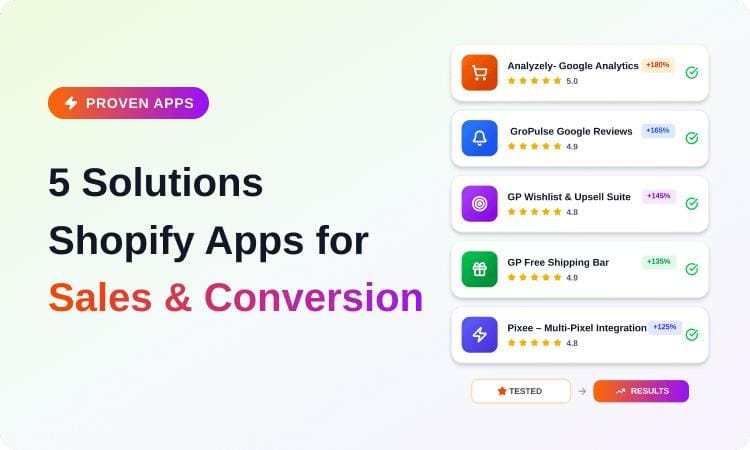
Beyond your theme, strategic apps can dramatically amplify your SEO results. The following Shopify apps are specifically designed to enhance your store’s SEO and marketing performance:
Analytics & Tracking Apps:
- Analyzely – Google Analytics 4: Track visitor behavior effortlessly with seamless GA4 integration, offering automatic measurement and in-app performance reports for data-driven decisions
- Pixee – Multi Facebook Pixels: Set up unlimited Facebook Pixels with eCommerce event tracking and Conversion API support for better-targeted campaigns
SEO & Schema Optimization (Critical for Rankings):
- GP JSON-LD Schema for SEO: Enhance search visibility with JSON-LD powered rich snippets. Supports product page schema, FAQ schema, product category and breadcrumb schema to help your store rank higher on Google
- GroPulse GTM & Data Layer: Integrate Google Tag Manager for seamless tag management, server-side event tracking, and improved tracking without coding hassles
Trust & Conversion Building Apps:
- GroPulse Google Reviews: Showcase authentic Google reviews with fully customizable widgets boosting trust and reputation. Features review collection on thank-you page and email automation for gathering reviews
- GroPulse Wishlist: Enable customers to save desired products, boost conversions with wishlist reminder emails, and “back in stock” notifications for wishlisted items
- SalesPulse – Sales Pop-Up: Drive urgency and trust with real-time visitor counter, geo-targeting for location-specific notifications, and custom triggering rules (exit intent, scroll depth, time on page)
Additional Optimization Tools:
- HelpMate – FAQ & Help Center: Offer quick, accessible answers with a floating FAQ button, minimize support needs, boost customer satisfaction, and capture featured snippet opportunities
Using Google Search Console Effectively
This free tool from Google is literally your window into how Google sees your store. It shows:
- Which keywords does your store rank for
- Your average ranking position
- Click-through rates from search results
- Crawl errors and indexing issues
- Mobile usability problems
- Security issues
Check it weekly. Fix issues immediately. This should be part of your routine. Search Console is often the first place you’ll notice problems that need fixing.
Integrating Shopify Theme for Built-In SEO Success
Why Your Theme Choice Impacts SEO Performance
Your theme is the foundation of your technical SEO. A poorly coded theme can sabotage even the best optimization efforts. Mavon is specifically designed to give you SEO advantages without requiring additional apps or custom code.
Mavon’s Powerful Built-In SEO Features
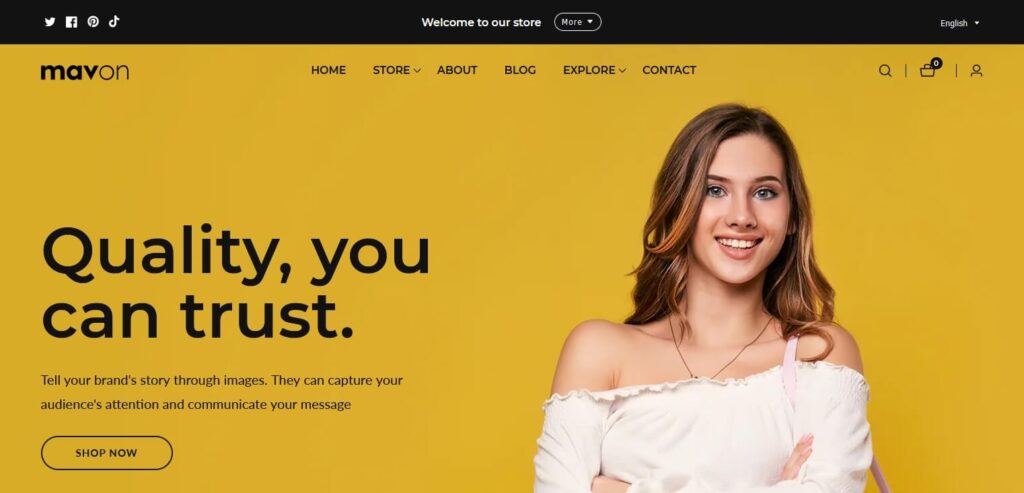
Mavon comes with several features that directly support ranking success:
Performance Optimization: Mavon is built for speed. It’s optimized for Google PageSpeed, with fast LCP (Largest Contentful Paint), quick page load speeds, and proper Core Web Vitals configuration. You don’t have to hire a developer to achieve the speed requirements Google demands.
Mobile-First Responsive Design: Mavon’s responsive design works flawlessly on all devices. The mobile experience isn’t an afterthought; it’s prioritized from the ground up, which aligns perfectly with mobile-first indexing.
Schema Markup Support: Mavon includes built-in schema markup for products, reviews, and organization data. This means rich snippets work automatically without additional apps.
20+ Customizable Sections: More customization options mean you can create unique content structures that help you stand out. No two Mavon stores look identical, giving you a competitive advantage.
Predictive Search and Smart Features: Features like predictive search improve user experience, which Google rewards with better rankings.
The Financial Impact of Smart Theme Selection
Here’s something tangible: a properly configured Shopify theme like Mavon eliminates hundreds of dollars in monthly app subscriptions. The built-in features offer $2,000+ worth of functionality that would otherwise require paid apps.
Instead of cobbling together 5-10 different apps, you get cohesive functionality that works together seamlessly. This reduces overhead, speeds up your site, and creates a better user experience, all of which boost SEO.
Measuring Success: Essential SEO Metrics and Tracking
Track Metrics That Actually Matter
SEO is data-driven. You need to know what’s working and what’s not. Focus on these metrics:
Organic Traffic: Monitor your overall organic sessions month-over-month. Use Google Analytics to see which landing pages drive the most traffic. Identify your top performers and replicate what makes them successful.
Keyword Rankings: Track where your target keywords rank. Use Google Search Console (free) or SEMrush/Ahrefs (paid) for more detailed tracking. Focus on keywords with commercial intent that drive conversions, not vanity metrics.
Conversion Rate: This is the ultimate metric. Increasing traffic means nothing if it doesn’t convert. The average eCommerce SEO conversion rate ranges between 2.99% and 4.4%, making it one of the highest-converting traffic sources.
Click-Through Rate (CTR): If your ranking position stays the same but CTR drops, your meta titles or descriptions need refreshing. A/B test different title formats to find what resonates with searchers.
Bounce Rate: High bounce rates signal poor user experience. If people land on your site and immediately leave, Google notices and may lower your rankings. Analyze which pages have high bounce rates and optimize them.
Create Your SEO Measurement Cadence
- Weekly: Check Google Search Console for critical errors
- Biweekly: Review organic traffic trends and top-performing pages
- Monthly: Analyze keyword rankings and conversion metrics
- Quarterly: Comprehensive SEO audit and strategy adjustment
Frequently Asked Questions
How long does Shopify SEO take to show results?
Expect 3-6 months to see noticeable improvements, with acceleration after 6 months. New sites take longer than established ones. Consistency matters more than speed. Many stores see 50%+ traffic growth by month 6 if they implement fundamentals correctly.
What’s the best Shopify app for SEO optimization?
No single app does everything. GP JSON-LD Schema for SEO is essential for rich snippets. Combine it with Analyzely for analytics and NoIndexly for sitemap management. The Shopify apps work seamlessly together without performance penalties.
Should I prioritize blog content or product optimization?
Both matter equally. Blog content attracts early-stage searchers and builds authority. Product pages capture purchase-intent traffic. Balance your effort between the two for sustainable growth.
How important is page speed for Shopify rankings?
Critical. Page speed is a confirmed ranking factor, and Google penalizes slow sites. Fix Core Web Vitals before implementing other tactics. Mavon addresses this with built-in speed optimization.
Final Thoughts: Your Path to Shopify SEO Dominance
Optimizing your Shopify store SEO for rankings isn’t a one-time project, it’s an ongoing commitment that compounds over time. Every improvement you make builds on previous gains, creating momentum that eventually dominates your market.
Start with the fundamentals: ensure your site speed meets Google’s standards, optimize your site structure, and implement schema markup on every product page. These technical foundations are non-negotiable.
Then move to content: create valuable blog posts that address customer questions, optimize product pages for long-tail keywords, and build internal linking structure that distributes authority throughout your store.
Finally, build authority: secure backlinks from relevant sources, optimize your Google Business Profile, and monitor performance continuously.
The merchants who win at eCommerce SEO aren’t necessarily the ones with the biggest budgets; they’re the ones who implement fundamentals consistently and measure results obsessively.
Choose a platform like Mavon that supports your SEO efforts from the ground up, implement strategic Shopify Apps like GP JSON-LD Schema for rich snippets and Analyzely for data-driven insights, create valuable content that your customers actually want, and watch as organic traffic becomes your most profitable channel.
Your competitors are either neglecting SEO or approaching it haphazardly. That’s your opportunity. Start today, stay consistent, and in six months, you’ll look back at your organic traffic numbers with genuine surprise at what’s possible.
The time to optimize your Shopify store SEO for rankings is right now. Your future self will thank you.