

The Meta Pixel (formerly called Facebook Pixel before Meta’s 2021 rebrand) is a JavaScript code snippet you install on your Shopify store to track visitor behavior and measure advertising effectiveness.
Important: “Facebook Pixel” and “Meta Pixel” refer to the same tracking technology. When Facebook rebranded as Meta in October 2021, the Facebook Pixel was officially renamed Meta Pixel. However, both terms are used interchangeably across the industry, developer documentation, and Shopify apps because merchants and advertisers still search for “Facebook Pixel”.
For clarity in this guide: we use both terms to match how you search and how apps market themselves, but understand they are identical tracking scripts with the same functionality.
The pixel tracks critical eCommerce events, including:
- PageView – User lands on any page
- ViewContent – User views a product page
- AddToCart – User adds product to cart
- InitiateCheckout – User begins checkout process
- AddPaymentInfo – User enters payment details
- Purchase – User completes transaction
This event data powers Facebook’s ad algorithm, enabling:
- Precise audience targeting based on actual shopping behavior
- Dynamic product retargeting to recover abandoned carts
- Lookalike audience creation to find similar high-value customers
- Campaign optimization for maximum conversions at the lowest cost
- ROAS measurement to track return on every ad dollar spent
Why iOS 14+ Changed Everything for Meta Pixel Tracking
Apple’s iOS 14.5 update (2021) introduced App Tracking Transparency (ATT), requiring apps to request user permission before tracking. When users decline (approximately 70% do), browser-based Meta Pixels cannot fire accurately, leading to:
- 30–40% data loss on purchase events
- Inaccurate conversion attribution
- Poor audience building
- Wasted ad spend on underperforming campaigns
Solution: Meta Conversion API (CAPI) with server-side tracking sends event data directly from your Shopify server to Meta’s servers—completely bypassing iOS restrictions and ad blockers. This is why all modern “Facebook Pixel apps” now include Meta Conversion API as a core feature—using Meta Pixel alone (browser-only) is no longer sufficient in 2026.
Why Use a Shopify Meta Pixel App Instead of Native Integration?
Shopify offers basic Meta Pixel integration through the Meta sales channel (formerly Facebook & Instagram sales channel), but dedicated pixel apps provide significant advantages:
| Feature | Shopify Native | Dedicated Apps |
| Multiple pixels | 1 pixel only | Unlimited pixels |
| Conversion API | Basic support | Advanced CAPI with EMQ optimization |
| Server-side tracking | Limited | Full server-side event tracking |
| Multi-platform support | Facebook only | Facebook + TikTok + Snapchat + Pinterest |
| Collection-specific tracking | No | Yes – target specific product collections |
| UTM parameter tracking | No | Yes – track campaign sources |
| Real-time analytics | No | Yes – in-app dashboards |
| Event Match Quality monitoring | No | Yes – EMQ score tracking |
| Product catalog sync | Manual | Automatic real-time sync |
For serious eCommerce merchants running multiple ad campaigns across platforms, dedicated Meta Pixel apps are essential for accurate tracking and optimization.
Terminology note: Throughout this guide, you’ll see apps marketed as “Facebook Pixel” apps—this is intentional branding because most merchants still search for “Facebook Pixel” even though the official name is Meta Pixel. All apps support the current Meta Pixel tracking technology.
How We Tested These Shopify Meta Pixel Apps
To ensure accurate recommendations, we tested each app using the following methodology:
Testing environment: Live Shopify stores (Basic, Shopify, and Plus plans)
Testing period: December 2025 – March 2026
Evaluation criteria:
- Setup time: Time from installation to first successful event tracking.
- Event accuracy: Comparison of tracked events vs. actual store actions.
- EMQ scores: Event Match Quality ratings in Facebook Events Manager.
- CAPI functionality: Server-side event delivery and deduplication.
- Multi-pixel support: Ability to manage multiple pixels simultaneously.
- Support response time: Average time to receive technical support.
- Dashboard usability: Clarity of analytics and reporting interfaces.
- Pricing value: Features provided relative to the monthly cost.
Key findings:
- All tested apps successfully installed and tracked events within 5–10 minutes
- Apps with dedicated Conversion API integration showed 25–35% higher purchase event tracking compared to browser-only solutions
- EMQ scores improved from 4.2–5.8 (browser only) to 7.8–9.2 (browser + CAPI)
- Support response times ranged from 2 hours to 24 hours, with most apps responding within 4–6 hours
7 Best Shopify Meta Pixel Apps in 2026
Note: These apps are marketed as “Facebook Pixel” or “Meta Pixel” apps interchangeably. Both refer to the same Meta tracking technology—the naming reflects how merchants search and how the industry communicates.
1. Pixee – Multi Pixel & Meta Ads (Best for Beginners)

Rating: 4.9/5 (1,200+ reviews)
Developer: GroPulse
Pixee is the most user-friendly Meta Pixel app for Shopify merchants new to Meta advertising. It combines one-click pixel installation with powerful Conversion API integration, making advanced tracking accessible without technical knowledge.
The app supports unlimited Facebook, TikTok, and Pinterest pixels with automatic product catalog synchronization. The standout feature is the new AI Ads Diagnostic Tool (Pro plan), which analyzes your pixel setup and provides actionable recommendations to improve Event Match Quality scores.
Key Features
- One-click Meta Pixel installation with automatic login
- Unlimited pixel integrations (Meta/Facebook, TikTok, Pinterest)
- Full Meta Conversion API (CAPI) support with server-side tracking
- Automatic product feed management for Facebook Catalog
- GDPR Banner and Consent Mode tracking for EU compliance
- Track all standard eCommerce events: ViewContent, AddToCart, InitiateCheckout, Purchase
- Compatible with Shopify Checkout Extensibility (required for Plus stores)
- AI-powered ad diagnostics and copy generation (Pro plan)
- Real-time event tracking dashboard
- Custom event tracking capabilities
Pricing (Updated March 2026)
| Plan | Price | Key Features |
| Free Plan | $0/month | Single Meta/Facebook, TikTok, Pinterest pixel; Consent tracking |
| Basic Plan | $21/month | Unlimited pixels; CAPI support; Product feed sync; Custom events |
| or $99/year | 7-day free trial available | |
| AI Pro Plan | $25/month | All Basic features + AI diagnostics + AI ad copy generator |
| or $139/year | 500 AI credits/month; Priority support |
Pros
- Extremely easy setup—no coding or technical knowledge required
- Excellent for beginners with in-app tutorials and guided setup
- Stable performance with consistent event tracking
- Automatic Meta Catalog (Facebook Catalog) product feed updates
- GDPR compliant with built-in consent management
- AI tools help optimize pixel performance (Pro plan)
- Responsive customer support via live chat
Cons
- Basic plan pricing increased from $19 to $21/month in 2026
- AI Pro plan features may be unnecessary for merchants not running complex campaigns
- Limited advanced customization compared to enterprise-focused alternatives
Best For
Beginners and small-to-medium Shopify stores looking for reliable, no-hassle pixel tracking with room to scale as advertising needs grow.
2. Trackify X – Meta Pixel & TikTok (Best Value for Unlimited Pixels)
Rating: 4.9/5 (880+ reviews)
Developer: Trackify X
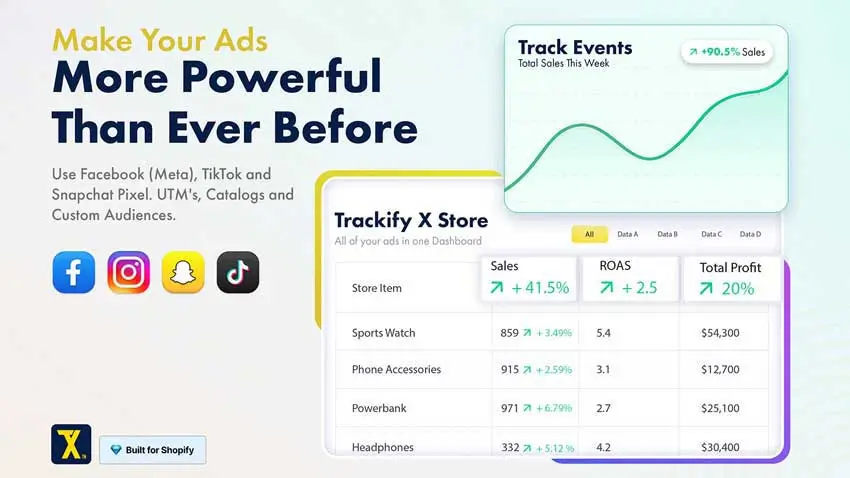
Trackify X offers the most competitive pricing in the market while maintaining enterprise-level features. At just $8.99/month for unlimited pixels and unlimited order tracking, it’s the best value proposition for Shopify merchants running multiple ad campaigns simultaneously.
The app supports Meta (Facebook), TikTok, and Snapchat pixels with full Conversion API integration. The standout feature is Custom & Lookalike Audience Feed Builder, which automatically generates audience feeds you can import directly into Meta Ads Manager (Facebook Ads Manager) for precision targeting.
Key Features
- Unlimited Meta/Facebook, TikTok, and Snapchat pixels (all plans except Free)
- Unlimited Conversion API and Server-Side API integrations
- Unlimited order tracking—no overage fees regardless of store volume
- Automatic product catalogs and feed generation (100,000+ product variants supported)
- Custom and Lookalike Audience Feed Builder for Facebook targeting
- UTM Analytics dashboard for campaign source tracking
- Custom event tracking and advanced event configuration
- Real-time Ads, Events, and Purchase Reporting dashboards
- 24/7 app support for all store types and themes
- Compatible with all Shopify plans, including Plus.
Pricing:
| Plan | Price | Key Features |
| Free Plan | $0/month | 1 pixel (Meta/TikTok/Snap); 1 CAPI; Up to 15 orders/month; |
| Product feed (500 products); Basic support | ||
| Start Plan | $8.99/month | UNLIMITED pixels & CAPIs; Unlimited orders; |
| or $84/year | Product feed (100k+ variants); UTM analytics; 24/7 support | |
| (save 22%) | 7-day free trial | |
| Grow Plan | $18.99/month | All Start features + enhanced analytics dashboards |
| or $180/year | Priority support; Advanced campaign reporting | |
| (save 21%) | 7-day free trial | |
| Advanced Plan | $28.99/month | All Grow features + Multi-Touch Attribution (NEW) |
| or $260/year | Dedicated account support; Advanced optimization tools | |
| (save 25%) | 7-day free trial |
Pros
- Unbeatable value: $8.99/month for unlimited pixels and unlimited order tracking
- No hidden fees or usage-based charges
- Comprehensive multi-platform support (Meta/Facebook, TikTok, Snapchat)
- Excellent for scaling businesses—no need to upgrade as store volume grows
- Audience Feed Builder simplifies Facebook targeting
- Real-time UTM tracking helps identify best-performing traffic sources
- 7-day free trial on all paid plans
- Responsive 24/7 support
Cons
- Dashboard interface is functional but less visually polished than competitors
- Free plan limited to 15 orders/month (most competitors offer 50–100)
- Advanced plan ($28.99) is required for the Multi-Touch Attribution feature
Best For
Cost-conscious merchants and growing Shopify stores that need unlimited pixel tracking without usage-based fees. Ideal for businesses running multiple ad campaigns across Meta/Facebook, TikTok, and Snapchat simultaneously.
3. Zotek – Multi Meta Pixel (Best for Multi-Platform Tracking)
Rating: 5.0/5 (250+ reviews)
Developer: Zotek
Zotek specializes in multi-platform pixel tracking with exceptional data quality. The app integrates Meta (Facebook), TikTok, and Snapchat pixels with advanced targeting options—allowing you to fire different pixels for specific products, collections, or even individual countries.
The standout feature is Advanced Targeting: assign different pixels to the entire store, specific product collections, or individual products. This enables surgical precision in campaign tracking and audience segmentation.
Key Features
- Multiple Meta/Facebook, TikTok, and Snapchat pixel integrations
- Advanced Conversion API with unlimited CAPI support (Advanced & Professional plans)
- Target flexibility: fire pixels for entire store, specific collections, or individual products
- Full pixel analytics with detailed event tracking
- Real-time campaign reports with UTM parameter tracking
- Automatic Facebook and TikTok Catalog creation
- Product feed generation supporting 10,000+ variants (Advanced plan)
- Custom event tracking capabilities
- Tax and shipping settings for accurate revenue reporting
- iOS 14+ tracking optimization with server-side events
Pricing (Updated March 2026)
| Plan | Price | Key Features |
| Free Plan | $0/month | Limited trial access; Testing purposes only |
| Basic Plan | $12.99/month | 5 pixels; 5 CAPI integrations; Track 100 orders/month; |
| or $131.88/year | Full analytics; 1 catalog; 1 product feed (100 variants) | |
| (save 15%) | 7-day free trial | |
| Advanced Plan | $29.99/month | Unlimited pixels + CAPI; Track 1,000 orders/month; |
| or $306/year | Custom events; Campaign & UTM reports; | |
| (save 15%) | 10 catalogs; 10 product feeds (10,000 variants) | |
| Country-based targeting; 7-day free trial | ||
| Professional Plan | $69.99/month | Unlimited pixels & CAPI; Unlimited order tracking; |
| or $714/year | Unlimited catalogs & product feeds; | |
| (save 15%) | Dedicated support agent; 7-day free trial |
Pros
- Perfect 5.0/5 rating reflects excellent reliability
- Advanced targeting options (entire store, collections, individual products, countries)
- Superior data quality with high Event Match Quality scores
- Comprehensive multi-platform support beyond just Meta/Facebook
- Automatic product catalog sync for Meta and TikTok
- Detailed UTM and campaign reporting for optimization
- Dedicated support agent on Professional plan
- No extra charges per Conversion API—all included in pricing
Cons
- Basic plan limited to 100 orders/month (restrictive for growing stores)
- Higher pricing than competitors for similar features
- Professional plan ($69.99) is expensive for small stores
Best For
Medium-to-large Shopify merchants running complex multi-platform advertising campaigns who need advanced targeting flexibility and premium support.
4. Pixelfy – Multi Meta Pixels (Best for TikTok + Meta Combo)

Rating: 4.9/5 (76 reviews)
Developer: SpringApps
Pixelfy focuses specifically on solving iOS 14+ tracking limitations through robust Meta Pixel + Conversion API integration. The app was designed with TikTok advertising in mind, making it ideal for merchants running combined Meta/Facebook and TikTok campaigns.
Setup is genuinely no-code—you don’t even need to log into Meta/Facebook. The app handles pixel installation, CAPI configuration, and event mapping automatically.
Key Features
- Unlimited Meta Pixels (Facebook Pixels) with no restrictions
- Unlimited Conversion API integrations (no per-CAPI fees)
- Unlimited TikTok Pixel and TikTok CAPI support
- Snapchat Pixel integration (Pro plan)
- Taboola Pixel support (Pro plan)
- Pinterest Pixel tracking
- True no-code installation—no Meta/Facebook login required
- Automatic server-side tracking for all events
- iOS 14+ optimization to recover lost conversion data
- Technical live support via chat
- GDPR-compliant tracking
Pricing (Updated March 2026)
| Plan | Price | Key Features |
| Pro Plan | $7.99/month | All Essential features + Snapchat pixel + Taboola pixel |
| 7-day free trial | ||
| Yearly Plan | $49.99/year | All Pro Plan features |
| (save 48%) | Annual billing discount; 7-day free trial |
Pros
- Most affordable option: $5.99/month for unlimited Meta/Facebook + TikTok tracking
- Exceptional value for TikTok advertisers
- True no-code setup—no technical knowledge needed
- Unlimited pixels and CAPI with no usage-based fees
- Yearly plan offers 48% savings ($49.99/year = $4.17/month)
- Fast, responsive technical support
- Supports Snapchat and Taboola for additional platforms (Pro plan)
Cons
- Smaller app (76 reviews vs. 1,000+ for competitors)
- Limited advanced analytics compared to Trackify or Zotek
- No built-in AI tools or diagnostics
Best For
Shopify merchants running TikTok advertising alongside Meta/Facebook who want the most affordable unlimited pixel tracking solution.
5. FBTrack – Meta Pixels App (Best for Collection-Based Tracking)
Rating: 4.7/5 (94 reviews)
Developer: Optiapps
FBTrack specializes in collection-specific pixel tracking—allowing you to assign different Meta Pixels to specific product collections in your store. This advanced segmentation enables surgical audience building and retargeting by product category.
For example, assign Pixel A to your “Women’s Shoes” collection and Pixel B to “Men’s Accessories.” Meta’s algorithm learns faster which audiences convert for each category, optimizing campaigns more efficiently.
Key Features
- Install multiple Meta pixels (main + backup pixels)
- Collection-specific pixel assignment—fire different pixels for different product collections
- Server-side event tracking with Conversion API
- Super-fast, accurate event reporting
- Track all standard events: ViewContent, AddToCart, InitiateCheckout, Purchase
- Report shipping costs accurately in purchase events
- No-code one-click installation
- In-app video tutorials and guides
- Round-the-clock technical support
- Designed for both beginners and expert media buyers
Pricing (Updated March 2026)
| Plan | Price | Key Features |
| Basic Plan | $10/month | 1 active pixel; All platforms support; CAPI; |
| Server-side tracking; 24/7/365 support | ||
| 7-day free trial | ||
| Standard Plan | $15/month | 5 active pixels; All platforms support; CAPI for all; |
| Server-side tracking; 24/7/365 support | ||
| 7-day free trial | ||
| Unlimited Plan | $30/month | Unlimited Meta/Facebook, TikTok, Snapchat, Pinterest pixels; |
| Unlimited CAPI tracking; Unlimited server-side events; | ||
| 24/7/365 support; 7-day free trial |
Pros
- Unique collection-based tracking enables precise audience segmentation
- Faster campaign optimization due to category-specific pixel data
- Excellent for stores with diverse product catalogs
- Multi-platform support (Meta/Facebook, TikTok, Snapchat, Pinterest)
- Accurate revenue reporting, including shipping costs
- In-app tutorials make setup straightforward
- 24/7/365 support availability
Cons
- Mid-tier pricing ($10–$30/month) compared to alternatives
- Basic plan limited to 1 active pixel (restrictive)
- Requires understanding of a collection-based strategy to maximize value
Best For
Shopify stores with diverse product catalogs (multiple categories/niches) that want to segment audiences and optimize campaigns by product collection.
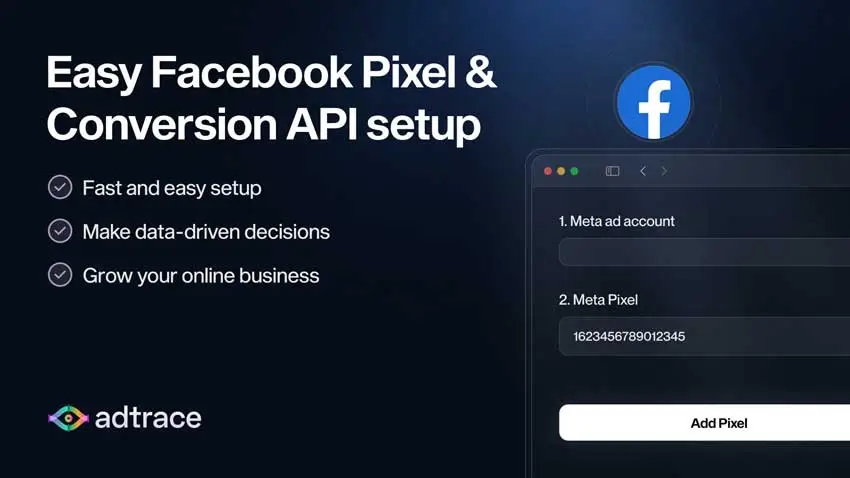
6. Meta Pixels by AdTrace (Best for EMQ Optimization)
Rating: 4.8/5 (180+ reviews)
Developer: AdTrace
AdTrace focuses specifically on Event Match Quality (EMQ) optimization—the metric Meta uses to measure how accurately your pixel matches events to user profiles. Higher EMQ scores (7.0–10.0) lead to better ad delivery and lower costs.
The app guarantees EMQ score improvement or offers a money-back guarantee—a unique confidence statement in the market.
Key Features
- Multiple Meta/Facebook and TikTok pixel integrations
- Advanced Conversion API with automatic EMQ optimization
- Guaranteed Event Match Quality improvement (or money back)
- Fix duplicate event tracking and missing events automatically
- Real-time UTM attribution reporting for Facebook ads
- Order and event attribution dashboard
- Automatic Meta Catalog Feed sync (multi-country support)
- GDPR-compliant tracking
- Easy 30-second Meta Pixel setup
- Server-side tracking to bypass iOS restrictions
Pricing
| Plan | Price | Key Features |
| Free Plan | $0/month | Limited testing; Development stores only |
| Basic Plan | $14.99/month | Unlimited pixels; CAPI support; EMQ optimization; |
| Facebook Catalog sync; Real-time reporting | ||
| Money-back guarantee if EMQ doesn’t improve | ||
| Advanced Plan | $24.99/month | All Basic features + Priority support + Advanced analytics |
Pros
- Only app offering money-back guarantee for EMQ improvement
- Automatic duplicate event detection and resolution
- Strong focus on data accuracy and match quality
- Real-time UTM attribution helps identify best ad sources
- Multi-country Meta Catalog support
- Fast 30-second setup process
- Good balance of features and pricing
Cons
- Higher pricing ($14.99 starting) than budget alternatives
- Fewer reviews (180) compared to market leaders
- Limited advanced targeting options compared to Zotek
Best For
Performance-focused merchants who prioritize data accuracy and Event Match Quality scores to maximize Meta ad campaign efficiency.
7. Conversios – Multi Meta Pixel & CAPI (Best for Multiple Shopify Stores)
Rating: 4.6/5 (120+ reviews)
Developer: Conversios
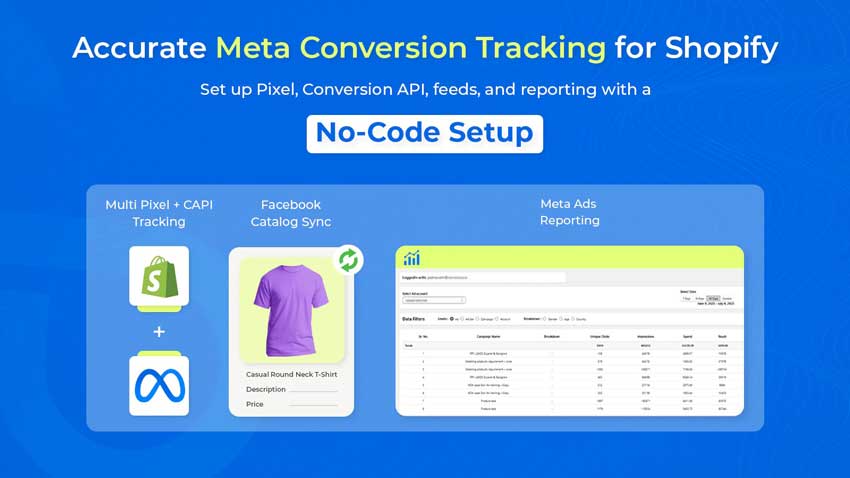
Conversios is designed for merchants managing multiple Shopify stores or agencies handling client accounts. The app offers flexible pixel limits (3–6 pixels depending on plan) with corresponding Conversion API integrations.
The standout feature is Meta Ads Reporting Dashboard—an in-app analytics interface showing campaign performance, ROAS, and audience insights without switching to Meta Ads Manager (Facebook Ads Manager).
Key Features
- Multiple Meta Pixel support (3–6 pixels depending on plan)
- Multiple Conversion API integrations (3–6 CAPIs)
- Meta Feed and Catalog auto-sync
- Track all eCommerce events: ViewContent, AddToCart, Checkout, Purchase
- Bypass iOS 14+ restrictions and ad blockers
- Meta Ads Reporting Dashboard with ROAS tracking
- Real-time product sync (5,000–unlimited products)
- Support for Shop Pay, PayPal, and Shopify Payment Gateway
- Dedicated email and call support
- Google Tag Manager (GTM) compatibility
Pricing
| Plan | Price | Key Features |
| Starter Plan | $9/month | 3 Meta pixels + 3 CAPIs; 5,000 product sync; |
| or $95/year | Track all events; Meta Ads dashboard; | |
| (save 12%) | Email/call support | |
| Pro Plan | $95/year | 6 Meta pixels + 6 CAPIs; Unlimited product sync; |
| Track all events; Meta Ads dashboard; | ||
| Dedicated support |
Pros
- Excellent for managing multiple stores or client accounts.
- In-app Meta Ads dashboard consolidates campaign data.
- Google Tag Manager compatibility for advanced users.
- Supports all major Shopify payment gateways.
- Annual plan offers significant savings (12% off).
- Dedicated email and call support.
Cons
- Lower rating (4.6/5) compared to top competitors.
- Pixel limits (3–6) may be restrictive for large operations.
- Starter plan limited to 5,000 product syncs.
Best For
Shopify store owners managing multiple brands or agencies handling client accounts who need consolidated reporting and flexible pixel management.
Comparison Table: Best Shopify Meta Pixel Apps 2026
| App Name | Best For | Rating | Starting Price | Key Feature |
| Pixee | Beginners | 4.9/5 | $21/month | AI diagnostics |
| Trackify X | Unlimited pixels | 4.9/5 | $8.99/month | Audience Feed Builder |
| Zotek | Multi-platform | 5.0/5 | $12.99/month | Collection targeting |
| Pixelfy | TikTok combo | 4.9/5 | $5.99/month | Cheapest unlimited |
| FBTrack | Collection tracking | 4.7/5 | $10/month | Collection pixels |
| AdTrace | EMQ optimization | 4.8/5 | $14.99/month | Money-back guarantee |
| Conversios | Multiple stores | 4.6/5 | $9/month | Ads dashboard |
What is Meta Conversion API (CAPI) and Why Does It Matter?
Meta Conversion API (CAPI) is Meta’s server-to-server tracking solution that sends event data directly from your Shopify server to Meta’s servers – completely bypassing the user’s browser.
How Browser Pixels vs. CAPI Work
Browser Pixel (traditional method):
- User visits your store
- JavaScript pixel loads in their browser
- User takes action (add to cart, purchase)
- Browser sends event data to Facebook
Problem: If user has iOS tracking disabled, uses ad blockers, or has strict cookie settings, the pixel cannot fire. Event is lost.
Conversion API (server-side method):
- User visits your store
- User takes action (add to cart, purchase)
- Your Shopify server detects the action
- Server sends event data directly to Facebook’s servers
Result: User’s device settings don’t matter—your server captures and reports the event regardless of privacy restrictions.
Benefits of CAPI for Shopify Stores
- 30–40% more accurate conversion tracking compared to browser-only pixels
- Higher Event Match Quality scores (typically 7.5–9.2 vs. 4.2–5.8)
- Better campaign optimization due to complete data signals
- Reduced data loss from iOS 14+, ad blockers, and cookie restrictions
- Improved ROAS through more accurate attribution
- Stronger first-party data signals for audience building
Best practice in 2026: Use both browser pixel AND Conversion API simultaneously. Modern pixel apps automatically deduplicate events using event_id parameters so you never double-count conversions.
How to Choose the Right Meta Pixel App for Your Shopify Store
What is Event Match Quality (EMQ) and Why It Matters
Event Match Quality (EMQ) is Meta’s score (0–10) measuring how well your pixel events match to user profiles in Meta’s system. Higher EMQ scores lead to:
- Better ad delivery and optimization
- Lower cost per acquisition (CPA)
- More accurate conversion attribution
- Stronger lookalike audience creation
EMQ score breakdown:
- 8.0–10.0: Excellent – optimal ad performance
- 6.0–7.9: Good – solid tracking, room for improvement
- 4.0–5.9: Fair – significant data loss, needs optimization
- Below 4.0: Poor – critical tracking issues
All apps in this guide support EMQ optimization through Conversion API integration. Apps like AdTrace and Pixee specifically focus on maximizing EMQ scores.
Do You Need Multiple Meta Pixels?
Yes, if you:
- Run multiple ad campaigns targeting different audiences
- Sell in different geographic markets
- Operate multiple brands from one Shopify store
- Want backup pixels in case primary pixel has issues
- Use collection-specific tracking for different product categories
No (single pixel sufficient) if you:
- Run simple campaigns targeting one audience
- Operate a single-niche store
- Are just starting with Facebook advertising
- Have limited ad budget (<$1,000/month)
Most apps offer unlimited pixels on paid plans, so you can always add more as your advertising strategy evolves.
Multi-Platform Pixel Tracking: Facebook + TikTok + More
In 2026, successful eCommerce merchants advertise across multiple platforms simultaneously. Look for apps supporting:
- Facebook (Meta) – Primary platform for most eCommerce
- TikTok – Growing rapidly for younger demographics (18–34)
- Snapchat – Strong for fashion, beauty, and lifestyle products
- Pinterest – Excellent for home décor, DIY, fashion
Apps like Pixee, Trackify X, Zotek, and Pixelfy support multi-platform tracking in a single interface—simplifying management and reducing costs versus installing separate apps for each platform..
Security, Compliance, and GDPR Considerations
All modern Meta Pixel apps must comply with:
GDPR (General Data Protection Regulation) – EU privacy law requiring explicit user consent before tracking. Look for apps with:
- Built-in consent banners
- Consent Mode tracking (fires pixels only after user approves)
- User opt-out capabilities
Features to verify:
- GDPR-compliant consent tracking
- Data encryption for server-side events
- Transparent data handling policies
- Cookie consent integration
All apps in this guide include GDPR compliance features. Pixee and Zotek specifically highlight built-in GDPR banners and Consent Mode tracking.
How to Install and Set Up a Meta Pixel App on Shopify
Once you’ve chosen the right Meta Pixel app for your store, installation is straightforward. Here’s a quick overview of the general setup process:
Quick Setup Steps
1. Install the app from Shopify App Store – Search for your chosen app (Pixee, Trackify, Zotek, etc.), click “Add app,” and grant permissions.
2. Connect your Meta account – Click “Connect Meta” or “Connect Facebook” in the app dashboard, log in, and select your Meta Pixel ID from Meta Events Manager.
3. Enable Conversion API (CAPI) – Navigate to CAPI settings, generate an access token (the app provides instructions), and enable server-side tracking.
4. Configure tracking events – Enable standard events (ViewContent, AddToCart, InitiateCheckout, Purchase) and set up collection-specific pixels if your app supports them.
5. Test your pixel – Use Meta Pixel Helper browser extension to verify events are firing correctly in Meta Events Manager.
6. \textbf{Sync product catalog (optional)** – Enable automatic product feed sync to power dynamic retargeting ads.
Total setup time: 5–15 minutes for most apps.
Need Detailed Step-by-Step Instructions?
This guide focuses on comparing and choosing the best Meta Pixel app for your needs. For complete installation instructions with screenshots, troubleshooting tips, and advanced configuration options, read our comprehensive tutorial:
→ How to Add Meta Pixel (Facebook Pixel) to Shopify: Complete Guide
That guide covers:
- Setting up Meta Pixel from scratch (with and without apps)
- Configuring Meta Events Manager properly
- Troubleshooting common pixel issues
- Advanced tracking configurations
- Testing and verifying pixel accuracy
Common Installation Issues and Fixes
| Issue | Solution |
| Events not showing in Meta | Clear browser cache; check Meta Pixel Helper extension; |
| verify pixel ID is correct | |
| Duplicate events appearing | Enable event deduplication in app settings; |
| ensure event_id parameter is enabled | |
| Low EMQ score after setup | Add CAPI access token; enable enhanced matching; |
| include customer email/phone in events | |
| Purchase events not tracking | Verify CAPI is enabled; check checkout compatibility; |
| contact app support for checkout extensibility setup | |
| Catalog sync failing | Check product count limits on plan; verify Meta |
| Business Manager permissions; refresh catalog manually |
Pro tip: Always test pixel installation using Meta’s Pixel Helper browser extension and Events Manager Test Events tool before launching paid campaigns.
Frequently Asked Questions
What is the best free Shopify Meta Pixel app?
Trackify X offers the best free plan, allowing 1 pixel with Conversion API and up to 15 orders per month—sufficient for testing or very small stores. Pixee also offers a free plan with single pixel support for Meta/Facebook, TikTok, and Pinterest. For most stores, paid plans ($5.99–$8.99/month) provide significantly better value with unlimited pixels and order tracking.
How do Shopify Meta Pixel apps handle iOS 14+ tracking?
All modern Shopify pixel apps use Meta Conversion API (CAPI) with server-side tracking to bypass iOS 14+ restrictions. When browser-based tracking fails due to App Tracking Transparency (ATT) opt-outs, the server-side CAPI captures events directly from your Shopify server and sends them to Meta—recovering 30–40% of lost conversion data.
Can I use multiple Meta Pixels on one Shopify store?
Yes. All apps in this guide support multiple Meta Pixels. Use cases include: running separate campaigns for different audiences, tracking different product collections independently, operating multiple brands, or maintaining backup pixels. Most paid plans offer unlimited pixel installations.
Do I still need a Meta Pixel app after enabling Meta Conversion API?
Yes, absolutely. Native Shopify Meta channel provides basic CAPI support but lacks: unlimited pixel management, multi-platform tracking (TikTok, Snapchat), collection-specific targeting, advanced analytics, UTM tracking, and Event Match Quality optimization. Dedicated apps provide significantly better tracking accuracy and campaign insights.
What’s the difference between native Shopify pixel and third-party apps?
Shopify’s native Meta integration (via Meta sales channel, formerly Facebook & Instagram channel) supports 1 pixel with basic CAPI functionality. Third-party apps add: unlimited pixels, advanced CAPI optimization, multi-platform support (TikTok, Snapchat, Pinterest), collection-based tracking, real-time analytics dashboards, UTM parameter tracking, automatic catalog sync, and dedicated support. For serious advertising, third-party apps are essential.
How do I improve my Event Match Quality (EMQ) score?
Improve EMQ by:
(1) enabling Conversion API server-side tracking,
(2) using advanced matching to send customer email/phone with events,
(3) ensuring event deduplication is configured properly,
(4) sending consistent customer identifiers across events, and
(5) choosing apps specifically designed for EMQ optimization like AdTrace or Pixee. Target EMQ scores of 7.0+ for optimal ad performance.
Which Shopify Meta Pixel app is best for beginners?
Pixee is the most beginner-friendly option with one-click installation, guided setup tutorials, automatic CAPI configuration, and AI-powered diagnostics (Pro plan). The interface is intuitive and support is responsive. Pixelfy is also excellent for beginners with true no-code setup requiring no Meta/Facebook login.
Can Meta Pixel apps track TikTok and other platforms?
Yes. Modern multi-platform pixel apps support: Meta (Facebook & Instagram), TikTok, Snapchat, Pinterest, and sometimes Taboola. Apps like Trackify X, Zotek, Pixelfy, and Pixee all support multiple advertising platforms in one interface—eliminating the need for separate apps per platform and simplifying campaign management.
Do Meta Pixel apps work with Shopify Plus checkout?
Yes, but verify the app explicitly supports Shopify Checkout Extensibility—the new checkout system required for Plus stores as of 2024. All apps in this guide support Checkout Extensibility. During installation, you may need to enable checkout app extensions in your Shopify admin settings.
How much do Shopify Meta Pixel apps cost?
Pricing ranges from free plans (limited features) to $5.99–$69.99/month for paid plans.
Best value options:
1. Pixelfy ($5.99/month unlimited),
2. Trackify X ($8.99/month unlimited), and
3. Zotek ($12.99/month for 5 pixels).
Most apps offer 7-day free trials on paid plans. Avoid apps with usage-based fees (charges per order tracked) – choose flat-rate unlimited plans for predictable costs.
Conclusion: Choose the Right Meta Pixel App for Your Shopify Store
Selecting the best Meta Pixel app for your Shopify store in 2026 depends on your specific advertising strategy, budget, and technical requirements. Here’s our final recommendation framework:
Choose Pixee if: You’re new to Facebook advertising and want the easiest setup with AI-powered optimization tools to improve results over time. Worth the $21/month for hands-off pixel management.
Choose Trackify X if: You need unlimited pixels and unlimited order tracking at the lowest price ($8.99/month). Best value for growing stores and multi-campaign advertisers on Meta/Facebook.
Choose Zotek if: You run complex multi-platform campaigns and need advanced targeting (collection-specific, country-specific pixels) with premium support. Worth $29.99/month for serious advertisers.
Choose Pixelfy if: You advertise heavily on TikTok alongside Meta/Facebook and want the most affordable unlimited option ($5.99/month). Perfect for budget-conscious TikTok marketers.
Choose FBTrack if: You have diverse product catalogs and want collection-based pixel segmentation for surgical audience targeting. Mid-tier pricing ($15/month) justified by unique targeting capabilities.
Choose AdTrace if: Data accuracy and Event Match Quality optimization are your top priorities. Money-back EMQ guarantee makes this a low-risk choice at $14.99/month.
Choose Conversios if: You manage multiple Shopify stores or client accounts and need consolidated Meta Ads reporting in one dashboard. Best for agencies and multi-brand operations.
Final Recommendations by Store Type
| Store Type | Recommended App | Why |
| New stores (<$10k/month) | Pixee or Pixelfy | Easy setup, affordable, room to scale |
| Growing stores ($10k–$50k/month) | Trackify X | Best value unlimited tracking |
| Established stores (>$50k/month) | Zotek or AdTrace | Advanced features, premium support |
| TikTok + Meta advertisers | Pixelfy | TikTok specialization, lowest cost |
| Multi-category stores | FBTrack | Collection-based pixel targeting |
| Agencies/multi-store ops | Conversios | Consolidated reporting, flexible limits |
Critical success factors regardless of app choice:
- Always enable Meta Conversion API (CAPI) for server-side tracking
- Use both browser pixel AND CAPI simultaneously (not one or the other)
- Monitor Event Match Quality scores monthly—target 7.0+ for optimal performance
- Test pixel installation thoroughly before launching campaigns
- Keep product catalogs synced for dynamic retargeting ads
- Review app analytics weekly to optimize campaign performance
By implementing proper Meta Pixel tracking with one of these top apps, you’ll capture accurate conversion data, build higher-quality audiences, and maximize return on ad spend—even as iOS restrictions, ad blockers, and privacy regulations continue evolving in 2026 and beyond.
Final note on terminology: Whether you call it “Facebook Pixel” or “Meta Pixel,” you’re referring to the same tracking technology. Meta officially renamed it in 2021, but both names remain widely used across the industry, documentation, and app listings. Choose your app based on features and value—not the name on the label.