
Table of Contents
Color swatches #
- Go to Admin > Online Store > Themes.
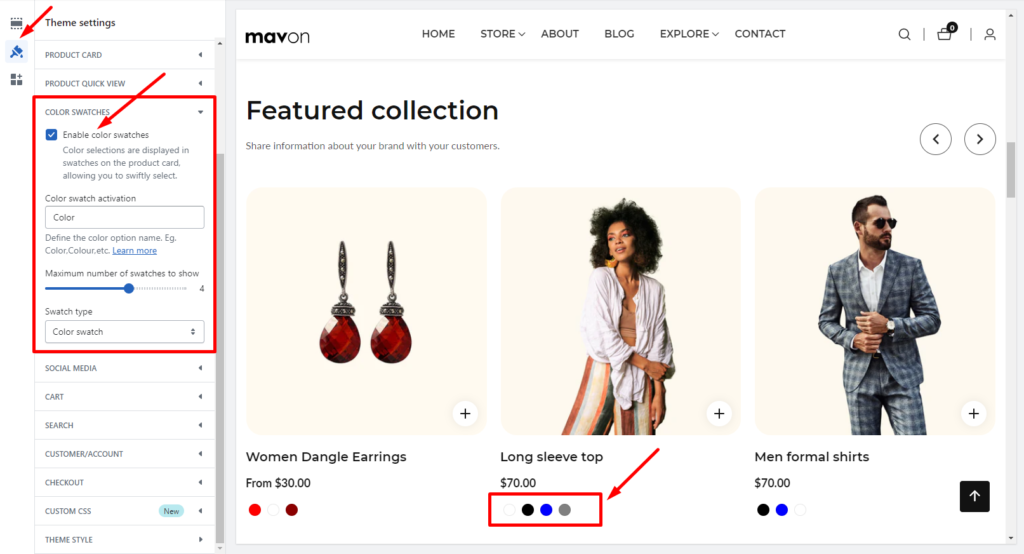
- Find the theme that you want to edit, and then click Customize > Theme settings > Color swatches.
- Enable the Enable color swatches checkbox.
General settings #
| Settings | Description |
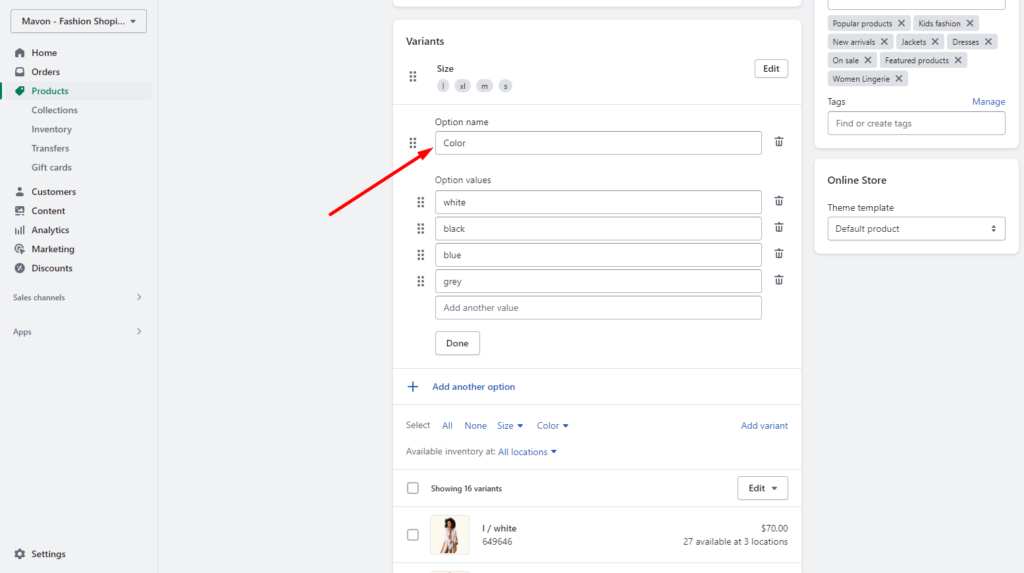
| Color swatch activation | Your variant option name Must be added in this field. Like Color or Colour. |
General settings #
| Settings | Description |
| Maximum number of swatches to show | Swatch color limits can be set. |
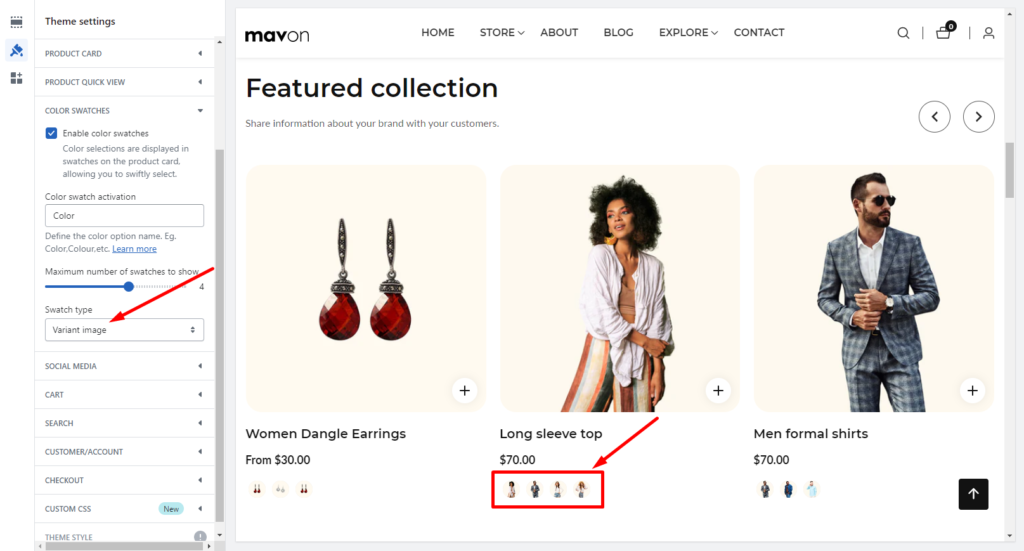
| Swatch type | There are two swatch types: Color swatch: Display only color. Variant image: Display variant image. Variant images must be added in the product variant option. |