Skip to content
Home
Growth Plan
Services
Urgent Store Setup
Development services
Maintenance Services
Projects
White Label
Reviews
Contact
Growth Plan
Home
Growth Plan
Services
Urgent Store Setup
Development services
Maintenance Services
Projects
White Label
Reviews
Contact
Growth Plan
Menu
All Categories
Theme Settings
Product
General Topics
Sections
Page Templates
Blog
Popular Search
the
View Categories
Home
Documentation
ScaleNexa
Theme Settings
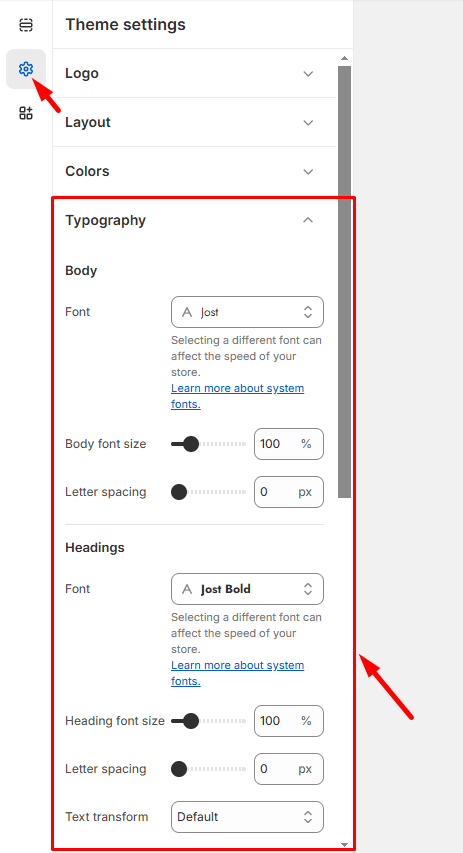
Typography
Typography
Listen
0:00
/
0:19
1×
Copy page
Copy page
Copy this page as Markdown for LLMs
View as Markdown
Open this page as plain Markdown
(opens in a new tab)
Open in ChatGPT
Ask questions about this page
(opens in a new tab)
Open in Claude
Ask questions about this page
(opens in a new tab)
Open in Google AI Studio
Ask questions about this page (Google account required)
(opens in a new tab)
Go to
Admin > Online Store > Themes
.
Find the theme that you want to edit, and then click
Customize > Theme settings >
Typography
.
Click
Change
to use the font picker for each type of text.
Then click
Select
, the font you want to use.
Click
Save
.
Social media
Typography and color default settings