Skip to content
Home
Growth Plan
Services
Urgent Store Setup
Development services
Maintenance Services
Projects
White Label
Reviews
Contact
Growth Plan
Home
Growth Plan
Services
Urgent Store Setup
Development services
Maintenance Services
Projects
White Label
Reviews
Contact
Growth Plan
Menu
All Categories
Theme Settings
Product
General Topics
Sections
Page Templates
Blog
Popular Search
the
View Categories
Home
Documentation
ScaleNexa
General Topics
How to setup Multi-language in your store
How to setup Multi-language in your store
Listen
0:00
/
0:16
1×
Copy page
Copy page
Copy this page as Markdown for LLMs
View as Markdown
Open this page as plain Markdown
(opens in a new tab)
Open in ChatGPT
Ask questions about this page
(opens in a new tab)
Open in Claude
Ask questions about this page
(opens in a new tab)
Open in Google AI Studio
Ask questions about this page (Google account required)
(opens in a new tab)
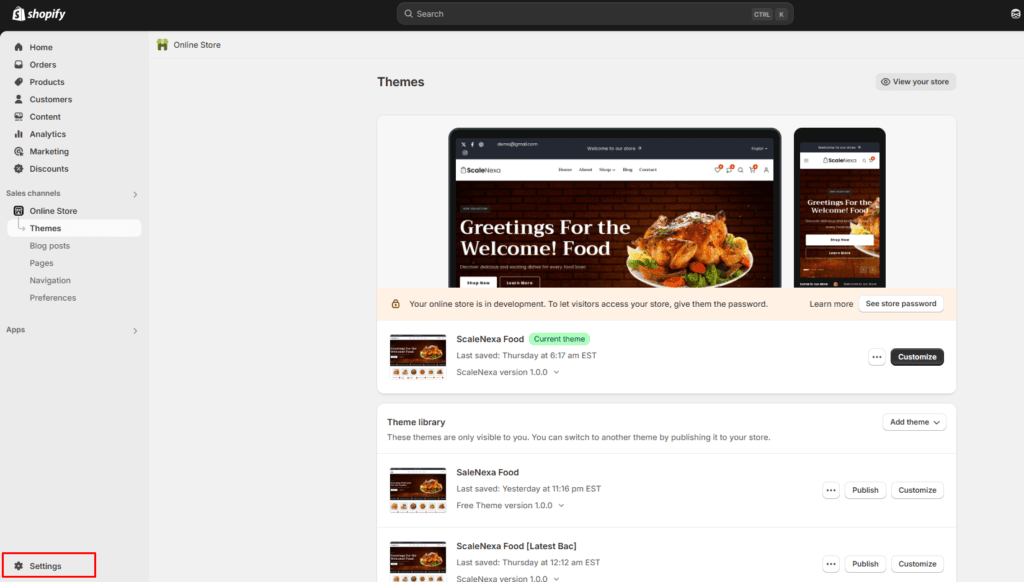
From your
Shopify admin
, go to
Settings
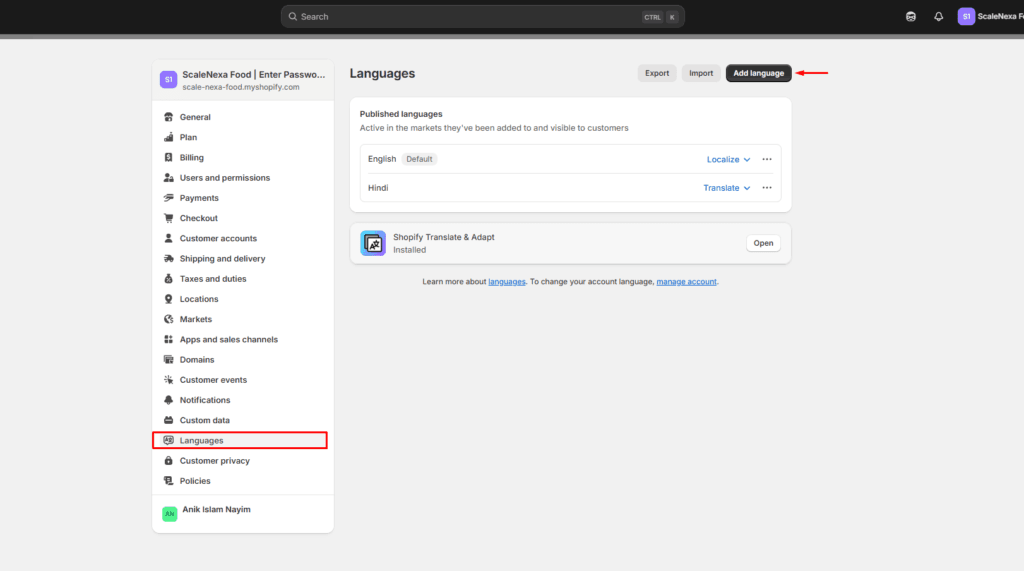
>
Languages
.
Click
Add Language
.
Choose a language from the drop-down menu, then click
Add
.
Select an active market to add your language.
Learn more about
languages
How to enable size chart on product pages
How to setup newsletter configuration