Skip to content
Home
Growth Plan
Services
Urgent Store Setup
Development services
Maintenance Services
Projects
White Label
Reviews
Contact
Growth Plan
Home
Growth Plan
Services
Urgent Store Setup
Development services
Maintenance Services
Projects
White Label
Reviews
Contact
Growth Plan
Menu
All Categories
Theme Settings
Product
General Topics
Sections
Page Templates
Blog
Popular Search
the
View Categories
Home
Documentation
ScaleNexa
Product
How to configure the Pop-up size guide on the product page
How to configure the Pop-up size guide on the product page
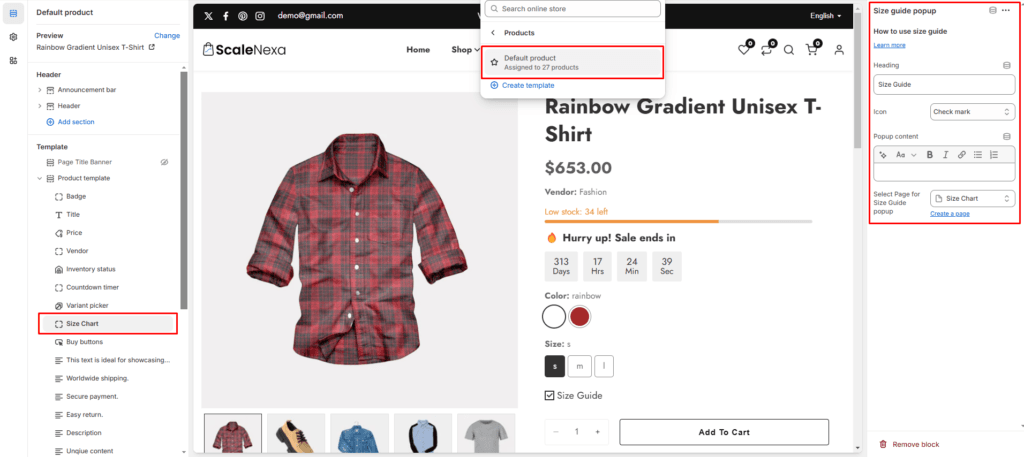
Step 1: Select Pop-up size guide from the product page
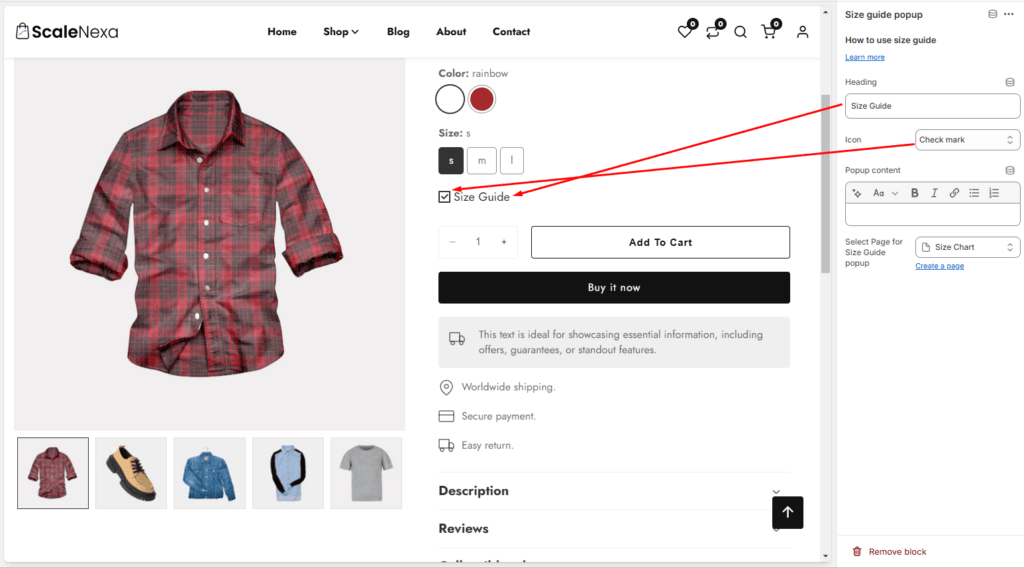
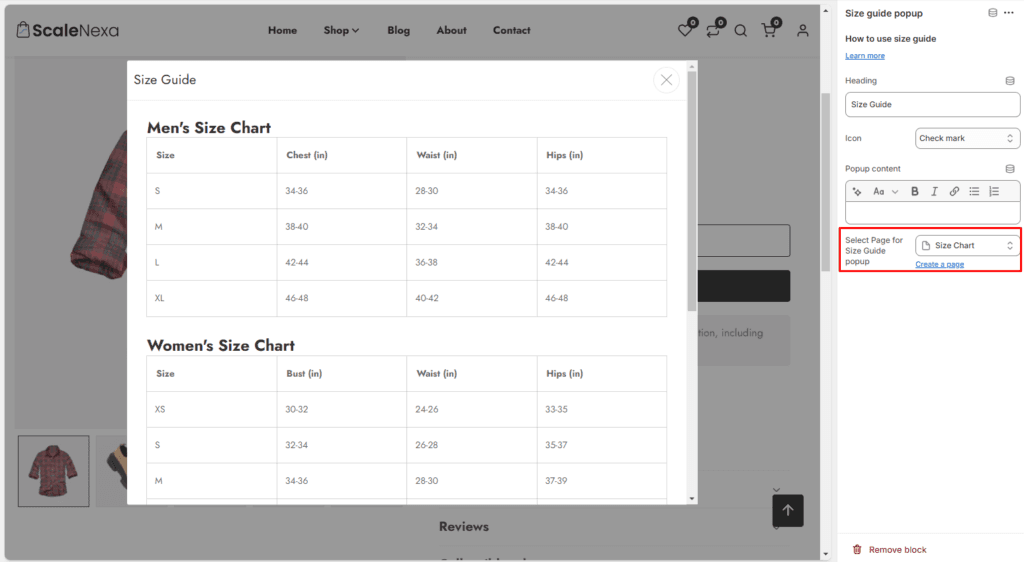
Step 2: Customize pop-up size guide
How to add unique content on the product page
How to enable color swatches on product